 saRa
How to add a router (NAS) and connect it to saRa's RADIUS
Steps
Open Network →
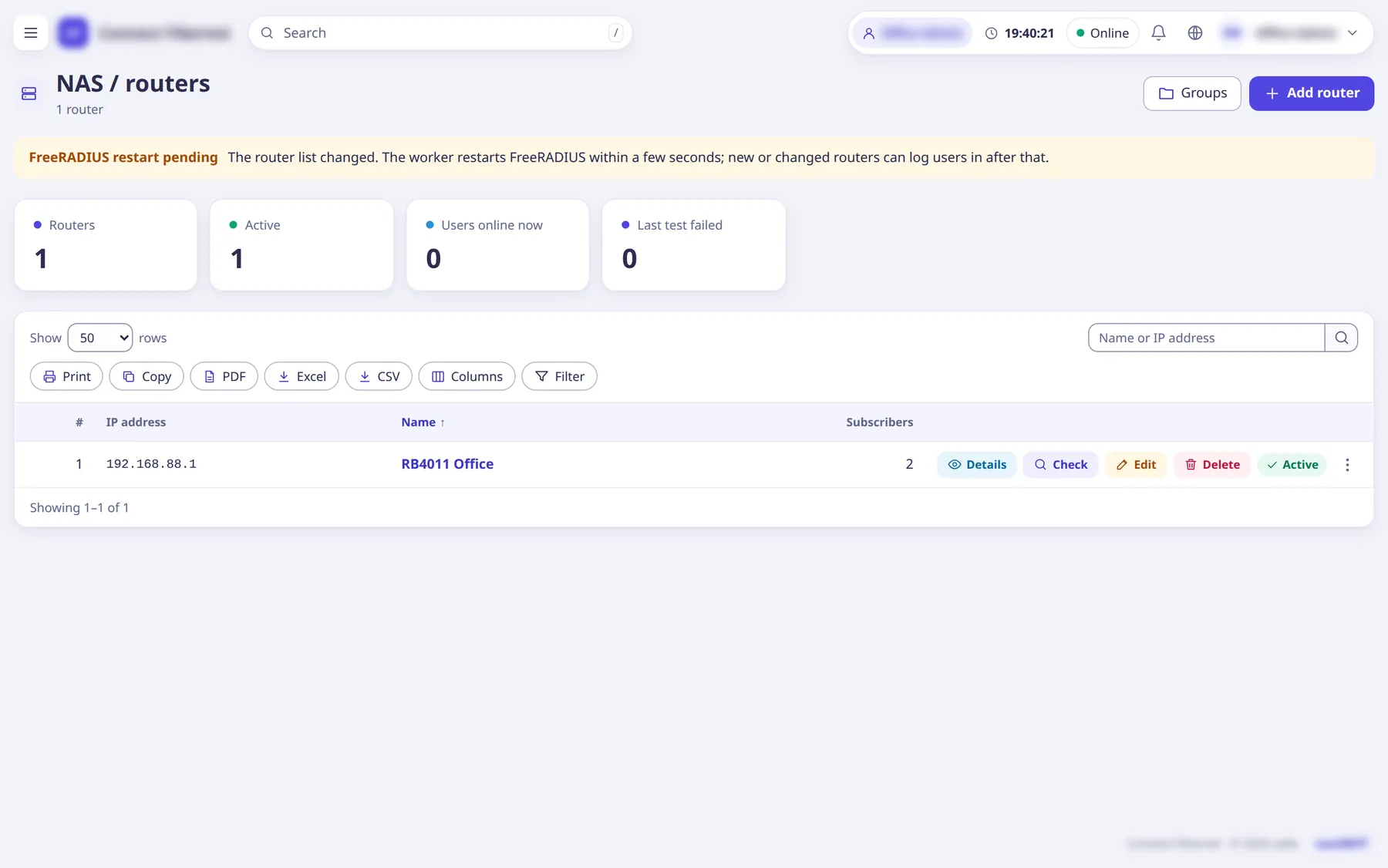
NAS / routers
and clickAdd router
(popup).The list has tiles, filters (Group, Status, Last test, RouterOS API) and per-row buttons Details, Check, Edit, Delete.
Enter
IP address
(the address the router's RADIUS packets come from) andName
.An IP address can be used by one router only, and the name must be unique inside the ISP.
Enter the
RADIUS secret
(at least 8 characters) or clickGenerate
; useShow
to read it before you put the same secret on the router.The secret is write-only: it is never shown again after saving. On Edit, leave it empty to keep the current one.
Optional: switch on
RouterOS API
and fillAPI user
,API password
andAPI address
to get live sessions, traffic graphs and the router's tables.API address
is https://192.168.88.1 (RouterOS 7 REST) or api://192.168.88.1 (RouterOS 6 and 7, port 8728); api-ssl:// (port 8729) needs a certificate on the router, or switch on 'Accept the router's self-signed certificate'. On the router enable the www-ssl (RouterOS 7) or api (RouterOS 6) service for this server only, with a user in a read-only group with the api policy.Set the
CoA port
(usually 3799), choose aGroup
if you use NAS groups, keepRouter is active
on, and clickAdd router
.A disabled router's logins are refused.
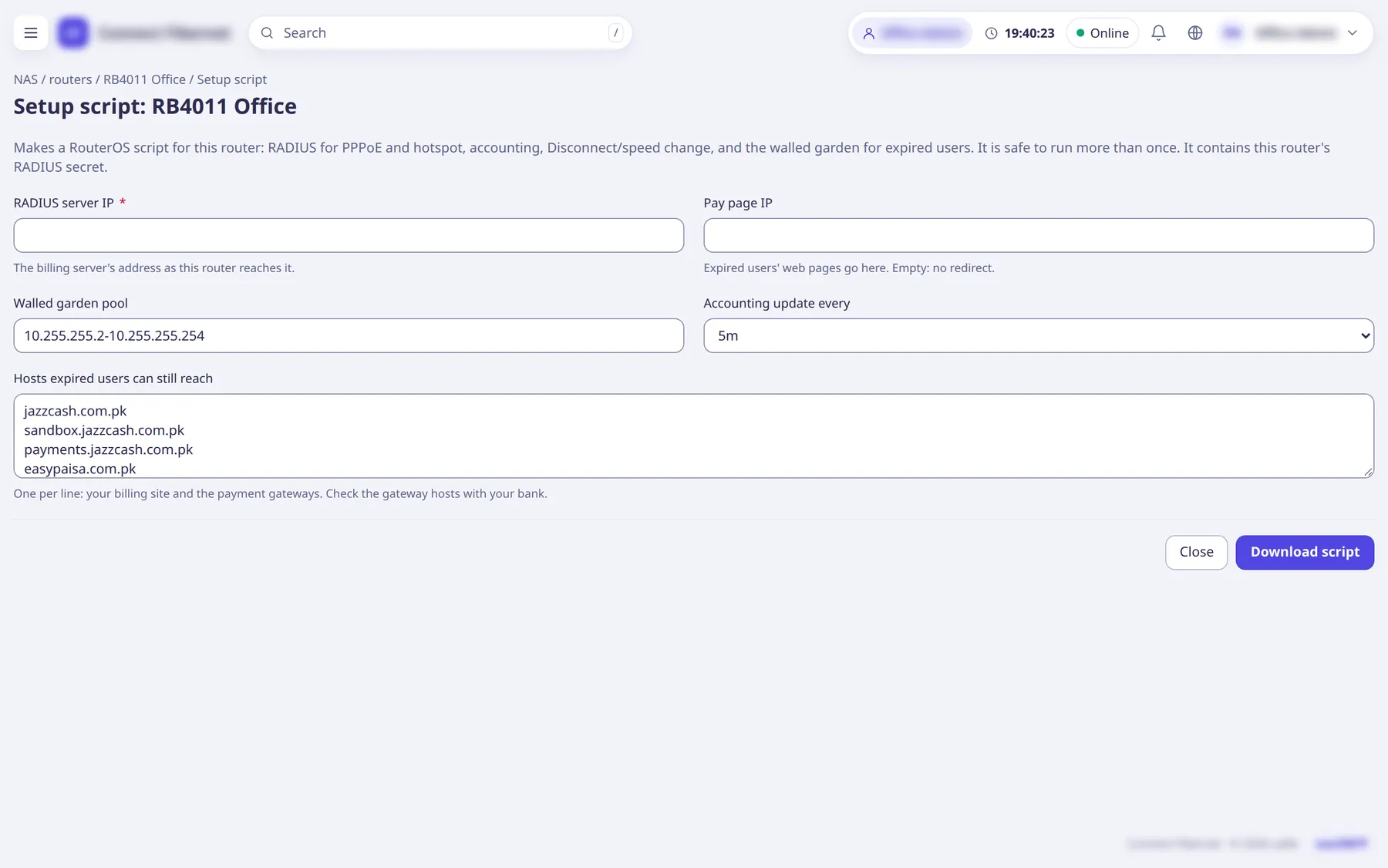
On the router's page click
Setup script
(or open /nas/<id>/setup), checkRADIUS server IP
,Pay page IP
,Walled garden pool
,Accounting update every
(1m, 5m, 10m, 15m) andHosts expired users can still reach
, then clickDownload script
and run the .rsc file on the MikroTik.The script sets up RADIUS for PPPoE and hotspot, accounting, Disconnect / speed change (CoA) and the walled garden for expired users, and is safe to run more than once. It contains the router's secret, so treat the file like a password.
Press
Check
on the list (orTest again
on the router page) to run the test: the linesDisconnect / speed change (CoA)
,RouterOS API
andAccounting
each show passed or what to fix.Failed lines come with advice, for example run /radius incoming set accept=yes on the router.
Optional: Network →
IP pools
to add the address pools packages use, and the router'sImport from router
page to read its PPP profiles, IP pools and PPPoE users into packages, policies and subscribers.Import from router changes nothing on the router.
What saRa does
saRa saves the router and shows '<name> added. Next: download its setup script and run it on the router.' A banner FreeRADIUS restart pending
appears and the saRa worker reloads FreeRADIUS within a few seconds; after that the router can authenticate users. FreeRADIUS reads saRa's database views (radius.radcheck, radreply and the NAS list), and every lookup is tied to the ISP of the router that sent it.
Good to know
- A router can only log in subscribers of its own ISP.
- The list's
Deleted routers
view and theGroups
button are in the page header. - Router firewall: RADIUS 1812/1813 and CoA must be reachable between router and server.