 saRa
How to renew a subscriber and take payment
Steps
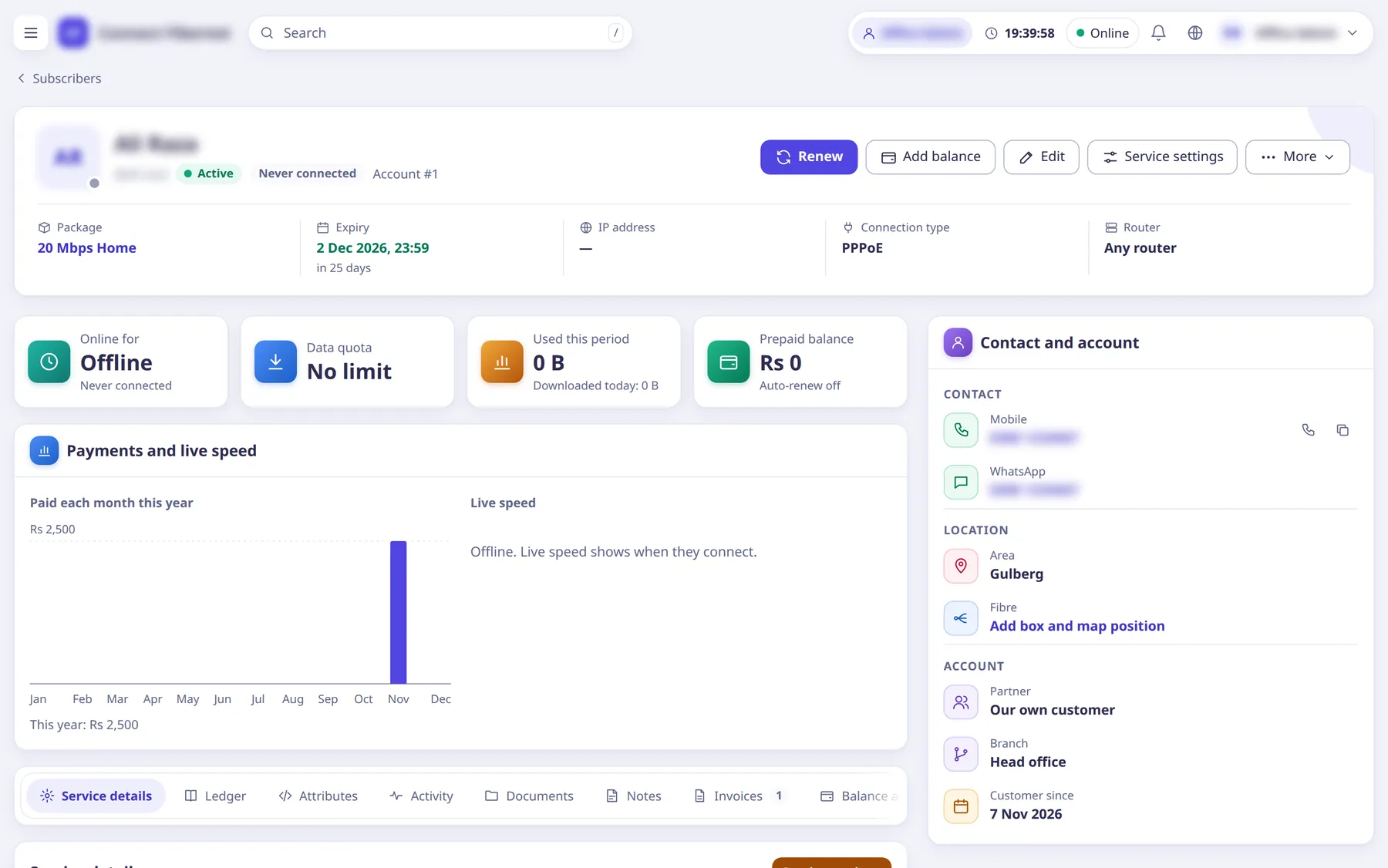
Find the subscriber in Subscribers →
All subscribers
and open the profile.Quick views in the menu:
Expiring in 7 days
,Expiring in 2 weeks
,Expired users
,Expired but online
.Click the primary button
Renew
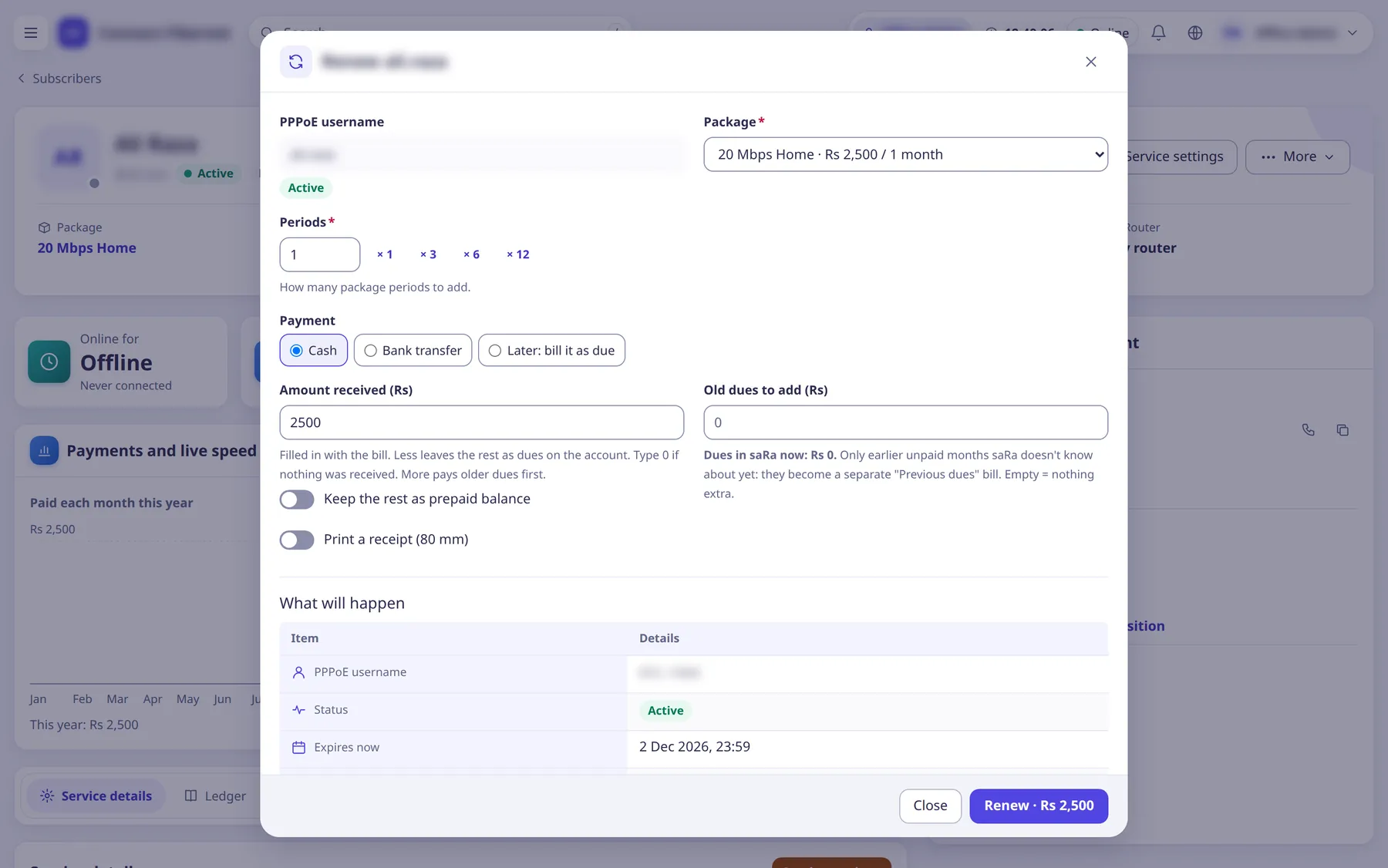
(popup).The popup shows a live
What will happen
preview: Expires now, New expiry, Grace, Package, Total, Amount received, Dues left.Check the
Package
and setPeriods
(1 to 24).Choosing another package changes the subscriber's package and pushes the new speed.
Under
Payment
choose Cash or Bank transfer to take money now, orLater: bill it as due
.Customers can also pay with the prepaid balance, a prepaid card (
Use a card
in the profile's More menu) or online in the portal.In
Amount received (Rs)
leave it empty for the whole bill, type less to leave the rest as dues, or type more to pay older dues first. TickKeep the rest as prepaid balance
to keep any extra.Type 0 if nothing was received.
Old dues to add (Rs)
makes a separatePrevious dues
bill for old unpaid months and needs theMake custom invoices
permission.Optionally tick
Print a receipt (80 mm)
and clickRenew
.The page returns to the profile with the new invoice number, or opens the receipt for printing.
What saRa does
In one transaction saRa makes the invoice, records the payment (cash goes to Cash in hand
in the cash book and the ledger), moves the expiry date forward, queues the Renewal done
/ Payment received
automatic messages and a portal notification. FreeRADIUS reads the new expiry from the database; if the customer was in the walled garden (expired) saRa reconnects them with a CoA disconnect (Reconnecting to leave the walled garden
), and a package change pushes the new speed.
Good to know
- Staff logins renew from a staff balance: the whole bill is taken off it, whatever the customer paid. If it is short the renewal is refused: 'Your balance (X) doesn't cover this renewal (Y). Ask an administrator, super admin or the owner to top up your balance.' Administrators are never limited.
- A staff cash limit (A day / Before handing over) refuses cash payments past it on every payment form.
- Terminated subscribers and archived packages cannot be renewed.
- The renew form carries an idempotency key, so a double click or retry never charges twice.
- Partner logins always pay from their wallet at the partner's package cost.
Add balance
on the profile puts money on the customer's prepaid balance; unpaid bills are collected under Accounting →Unpaid invoices
.