 saRa
How to use the cash book, hand over cash and close the day
Steps
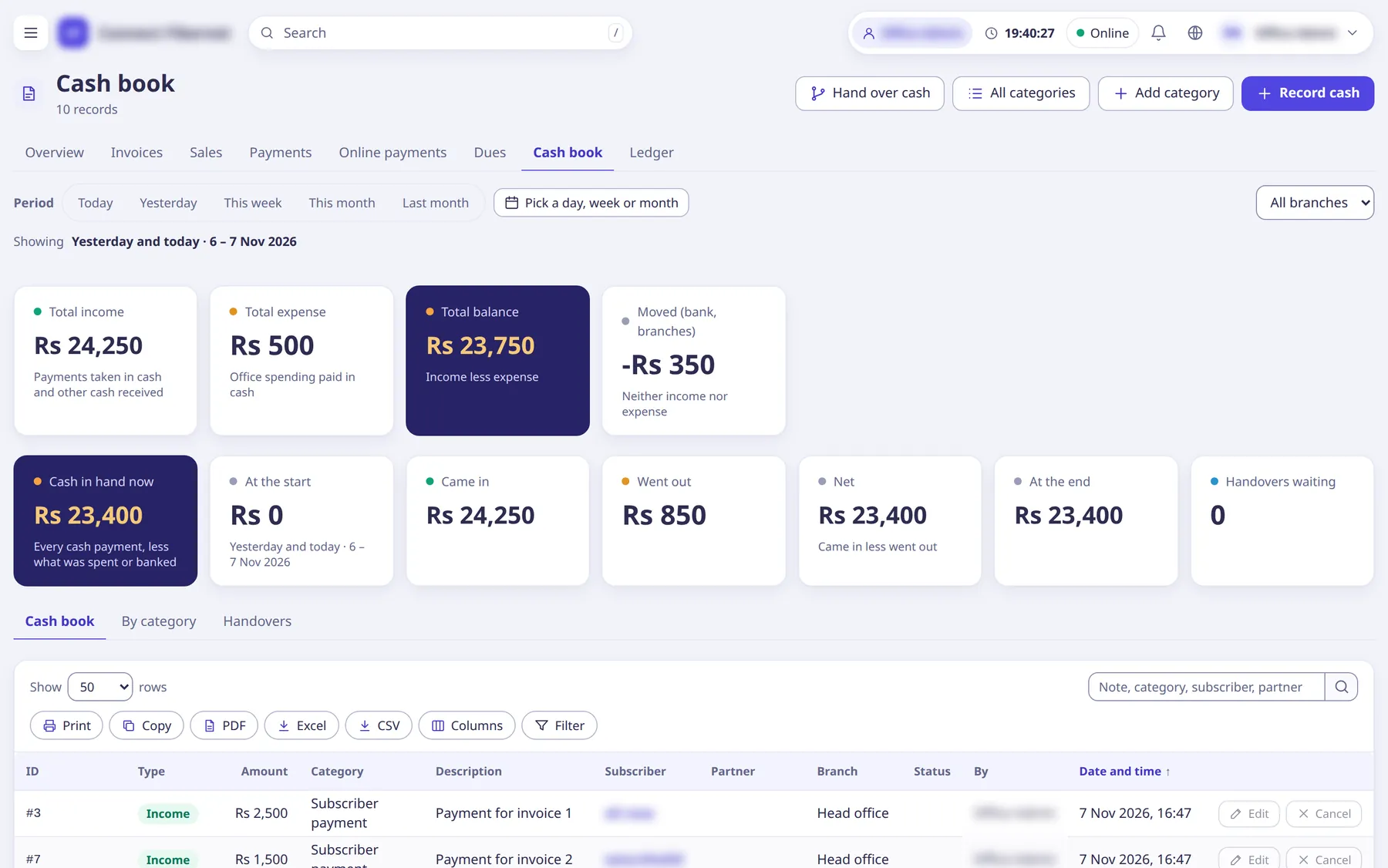
Open Accounting →
Cash book
. The tiles showCash in hand now
,At the start
,Came in
,Went out
,Net
,At the end
andHandovers waiting
;Total income
andTotal expense
sit above.Pick the period and branch in the accounting header; tabs are
Cash book
,By category
,Handovers
and, with the salary permission,Staff salary
.Click
Record cash
(popup /cash/new). UnderWhat happened
chooseExpense (cash paid out)
,Deposited in the bank
,Other cash received
orDrawn from the bank
.Cash payments from renewals and invoices appear in the book by themselves.
Fill
Spent on
(the category;Manage categories
/Add category
/All categories
are in the header),Amount
,Date
(today, or a day up to 31 days back),Whose cash
(branch) andDescription
, then clickRecord
.A wrong entry is fixed with
Change cash entry
(it cancels the original and records the corrected one, keeping both) or cancelled.A branch hands its cash to the head office with
Hand over cash
: chooseCollected from
, enterAmount
and aNote
(who carried it).A branch cannot send more than its cash in hand less what is already waiting.
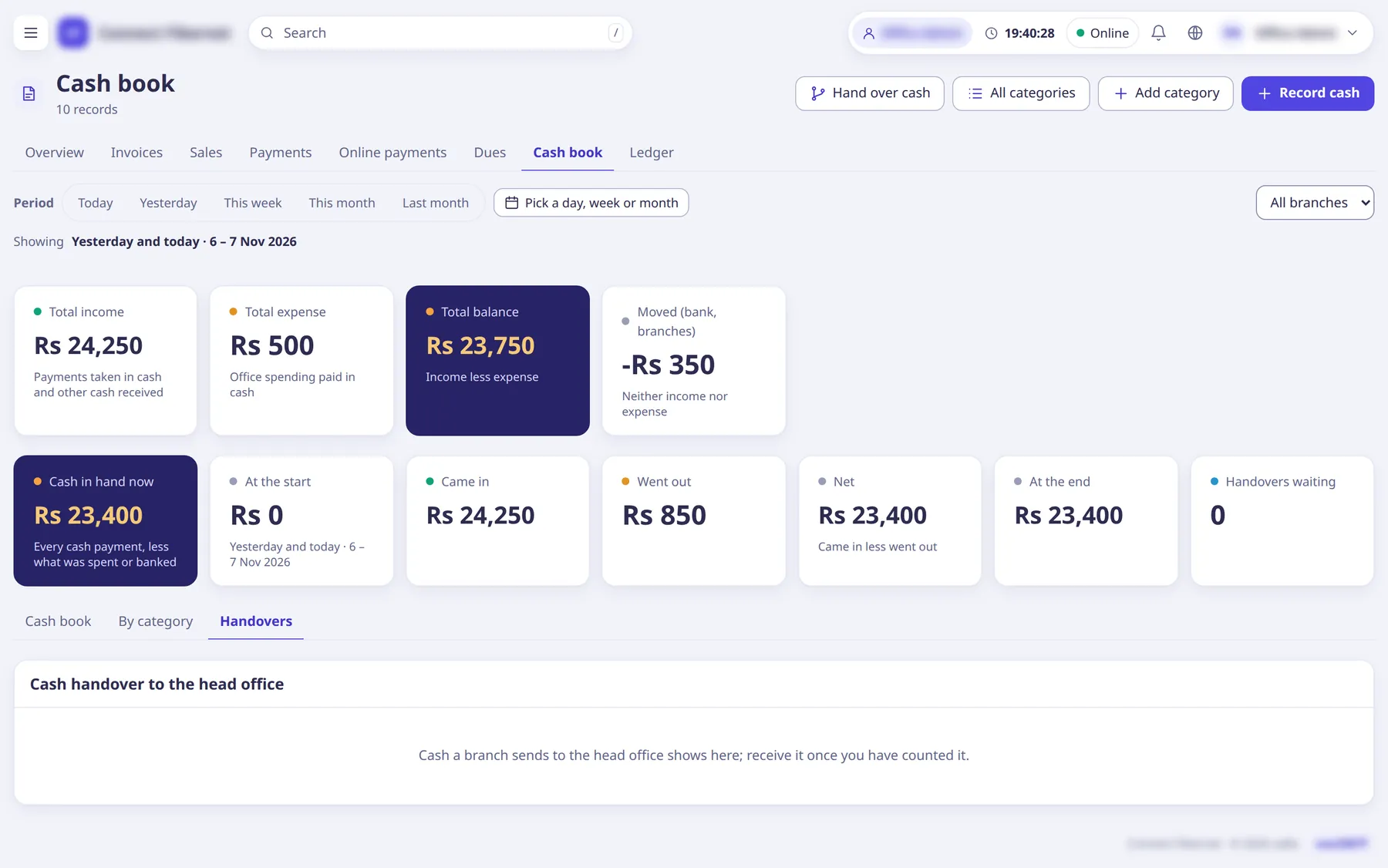
The head office opens the
Handovers
tab (sectionCash handover to the head office
), counts the cash and pressesReceive
(orReject
with a reason inWhy reject
).Cash the head office collects itself is received at once.
What saRa does
Every entry posts to the ledger. Receiving a handover moves the cash from the branch's cash to the head office's. There is no separate Close day
button: a branch's day is closed by the head office receiving its handover, after which nobody can back-date an entry into that day ('The branch's cash for that day was already handed over and received; record it today instead.').
Good to know
- Cash limits per staff login are set on Staff → the login →
Cash limit and sign-in addresses
(fieldsA day
andBefore handing over
); payments past the limit are refused. - Back-dated entries are limited to 31 days and leave a line in the activity log.
- Branch-bound staff see only their own branch's cash book.
- The cash book can be exported (CSV, Excel, Print).