 saRa
How to bring data over from an old system
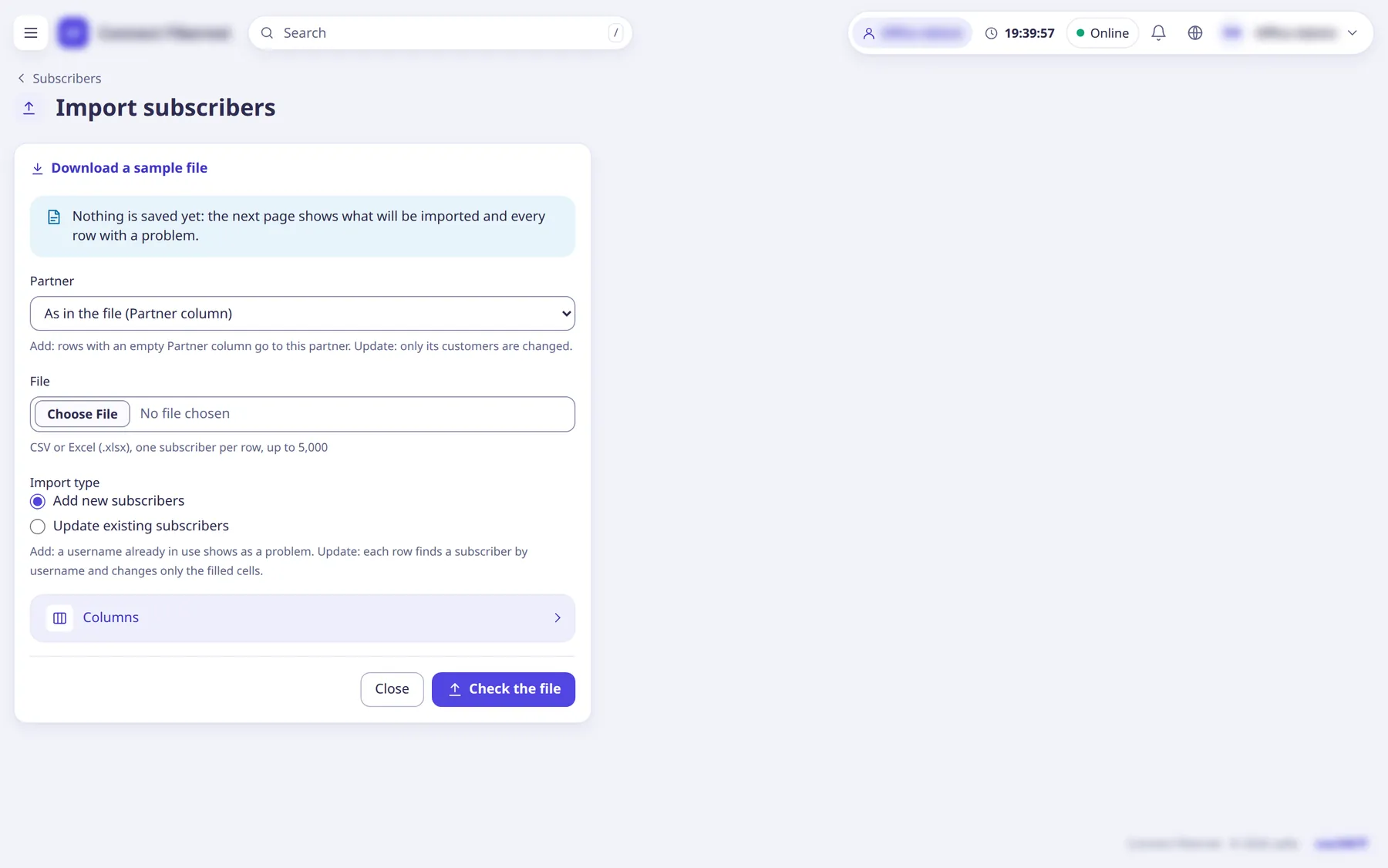
Steps
Subscribers: Subscribers →
Import
. DownloadDownload a sample file
, fill it (CSV or Excel, up to 5,000 rows, first row names the columns), chooseImport type
=Add new subscribers
orUpdate existing subscribers
, optionally aPartner
, upload and clickCheck the file
.Nothing is saved until you confirm: the next page shows
Ready to import
andRows with problems
. Imported expiry dates are set as already paid (no invoices); subscribers without an expiry stay not activated.Packages and policies: Packages →
Import
and Policies import accept CSV exports.Both have export buttons for backup.
From a router: on the router's page open
Import from router
. Tabs read the router's PPP profiles (turn them into packages and policies, typing a price for each new package), IP pools and PPPoE users, then clickImport ticked profiles
and so on.Reads only; nothing on the router changes. Ticked rows are saved together or not at all, and it can be run again safely.
Whole system: the server operator can import a full backup of another billing system with 'isp import-old-radius --file <backup.sql.gz> --isp <code>' (a dry run unless
--apply
is added;--steps
picks steps), andisp import-django
for the Django-based predecessor.Imported customers sign in with their old password and are asked to choose a new one. Use Settings → Billing →
Pause automatic billing
during the transition.Check the result in Logs and reports →
Failed imports
.Rows that failed are listed with the reason.
What saRa does
Customers, packages, routers, invoices and sessions land in the chosen ISP and FreeRADIUS serves them straight from the database. The old system can keep billing until you switch Pause automatic billing
off on cutover day.
Good to know
- Always run the command line import as a dry run first.
- Platform →
Move subscribers
moves customers between ISPs inside saRa.