 saRa
How to add resellers and retailers, and fund their wallets
Steps
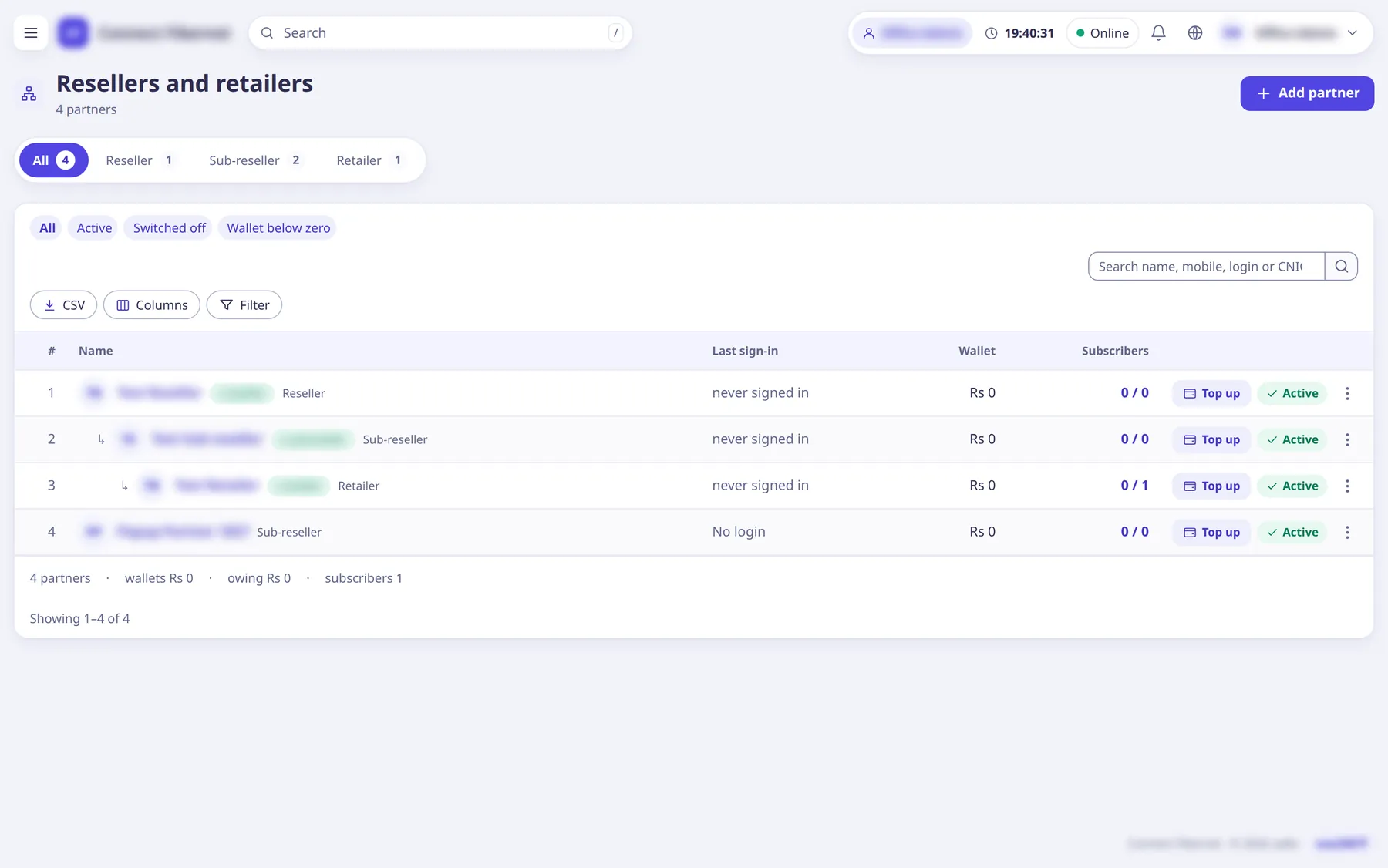
Open Staff →
Resellers and retailers
and clickAdd partner
(popup).The list has tabs by level, a
Wallet below zero
quick filter and columns Wallet, Credit limit and Subscribers.Enter
Name
, chooseWorks under
(Nobody: directly under the ISP
or another partner) and theLevel
(Reseller, Sub-reseller or Retailer, as allowed under the parent), optionalCredit limit
,Branch
,CNIC
,Mobile
,Email
andAddress
, then clickAdd partner
.A reseller can have sub-resellers and retailers below it; a retailer can have none.
Credit limit
is how far the wallet may go below zero (0 = only what they paid in). The level names can be renamed in Settings →Modules
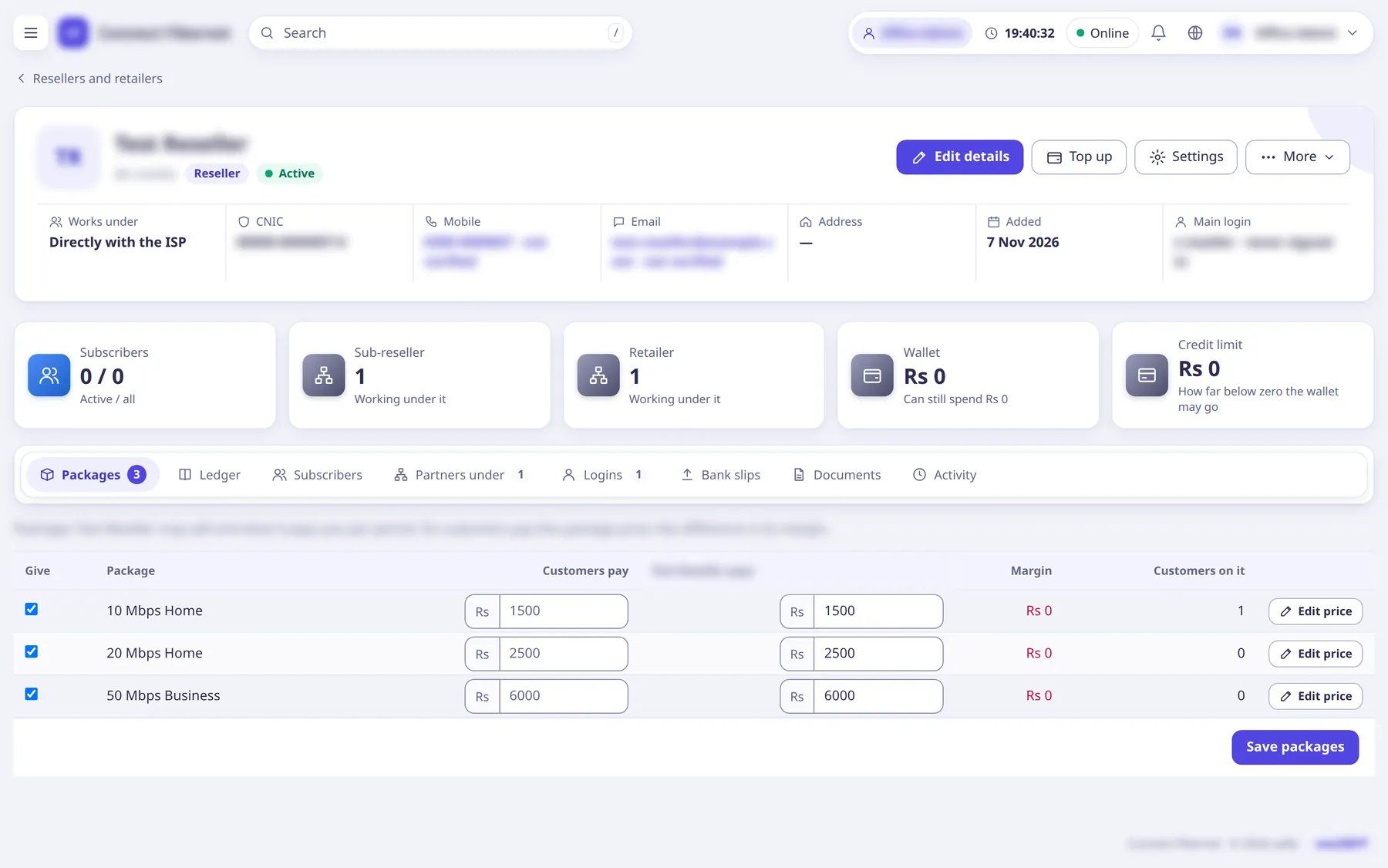
.On the partner's page choose
Add login
to create a sign-in for the partner (name, mobile, email, access).New password
, pausing and 'Log in as <login>' (view as) are also there.Give packages:
Give a package
(or the Packages tab): pick thePackage
, switch on 'Given to <partner>', set what the partner pays ('<partner> pays', per period) and optionallyCustomers pay
.The page shows Margin per package; empty
Customers pay
means the ISP's list price.Fund the wallet: click
Top up
, chooseReceived as
(Cash, Cheque, Bank transfer), aReference
and theAmount
, and clickTop up
. A parent partner moves its own money with 'Send money from <parent>' (the transfer popup,Amount to send
).Partners can also send a bank slip with
Send bank slip
; staff approve or reject it under Accounting →Bank transfers
.
What saRa does
The partner can sign in, add subscribers of its own and renew them: each renewal is paid from the partner's wallet at the partner's package cost (the partner's customers pay the Customers pay
price). The wallet ledger lists every entry with the wallet after it. Reversing an invoice gives the cost back.
Good to know
- A renewal is refused if the wallet plus credit limit does not cover it ('the partner's wallet and credit limit don't cover this renewal; top up the partner first'), or if the partner is switched off.
- A partner login sees only its own customers and packages (
My packages
). - Reports →
Partner-wise
summarises partners.