 saRa
How to set up automatic messages and templates
Steps
First set up how messages leave: Settings →
SMS and email
(SMS gateway, WhatsApp, mail server) and use the test message.WhatsApp needs an approved WhatsApp template for each message.
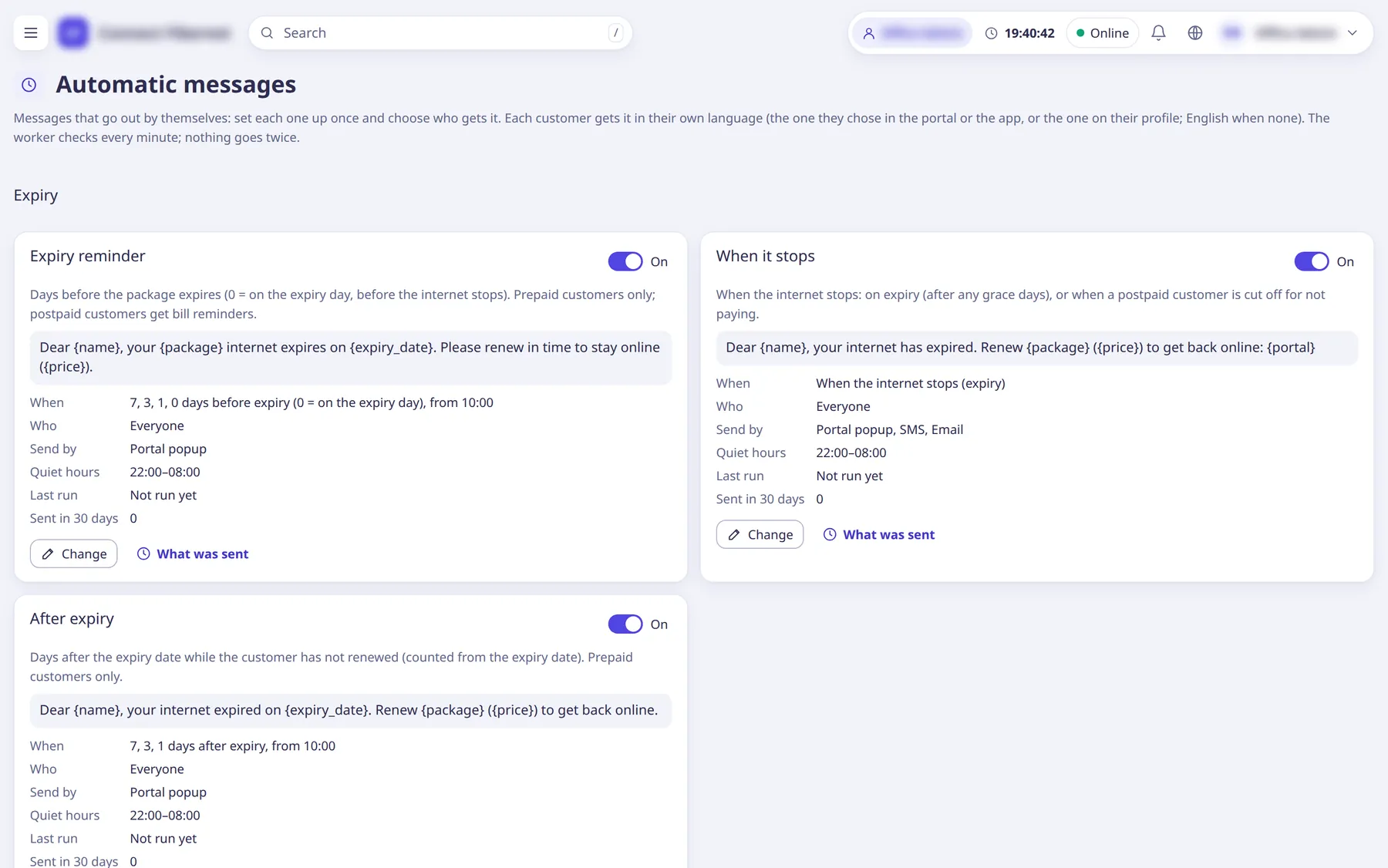
Open SMS and notices →
Automatic
. The cards are grouped: Expiry (Expiry reminder, When it stops, After expiry), Bills and payments (Payment received, Renewal done, Unpaid bill, Bill due soon, Dues after renewal), Complaints (Complaint opened, Complaint: staff reply, Complaint resolved or closed) and On a schedule (Scheduled message).Each card shows On / Off, When, Who, Send by, Quiet hours, Last run and
Sent in 30 days
.Click
Change
on a card, switch onOn: it goes out by itself
and setWhen
(for reminders the days before or after; for scheduledRepeat
,Weekday
orDay of the month
andSend from
).Switched on, it starts from that moment; nothing piled up is sent.
Write the
Message
: chooseOur text in English and Urdu
(Title and Text in both languages, with variable buttons) orThe automatic text (SMS texts page)
. UsePreview
with a username to see it.Customers get the message in their own language (portal / app choice, or the profile language; English when none).
Choose
Send by
(SMS, email, WhatsApp, chat, portal popup) andWho gets it
(Places, Packages, Partners, Status,Hand-picked customers
), setQuiet hours from
/until
, and save.In quiet hours SMS, email and chat messages wait; the popup is ready at once.
What was sent
lists the messages sent by that rule.For other cases use
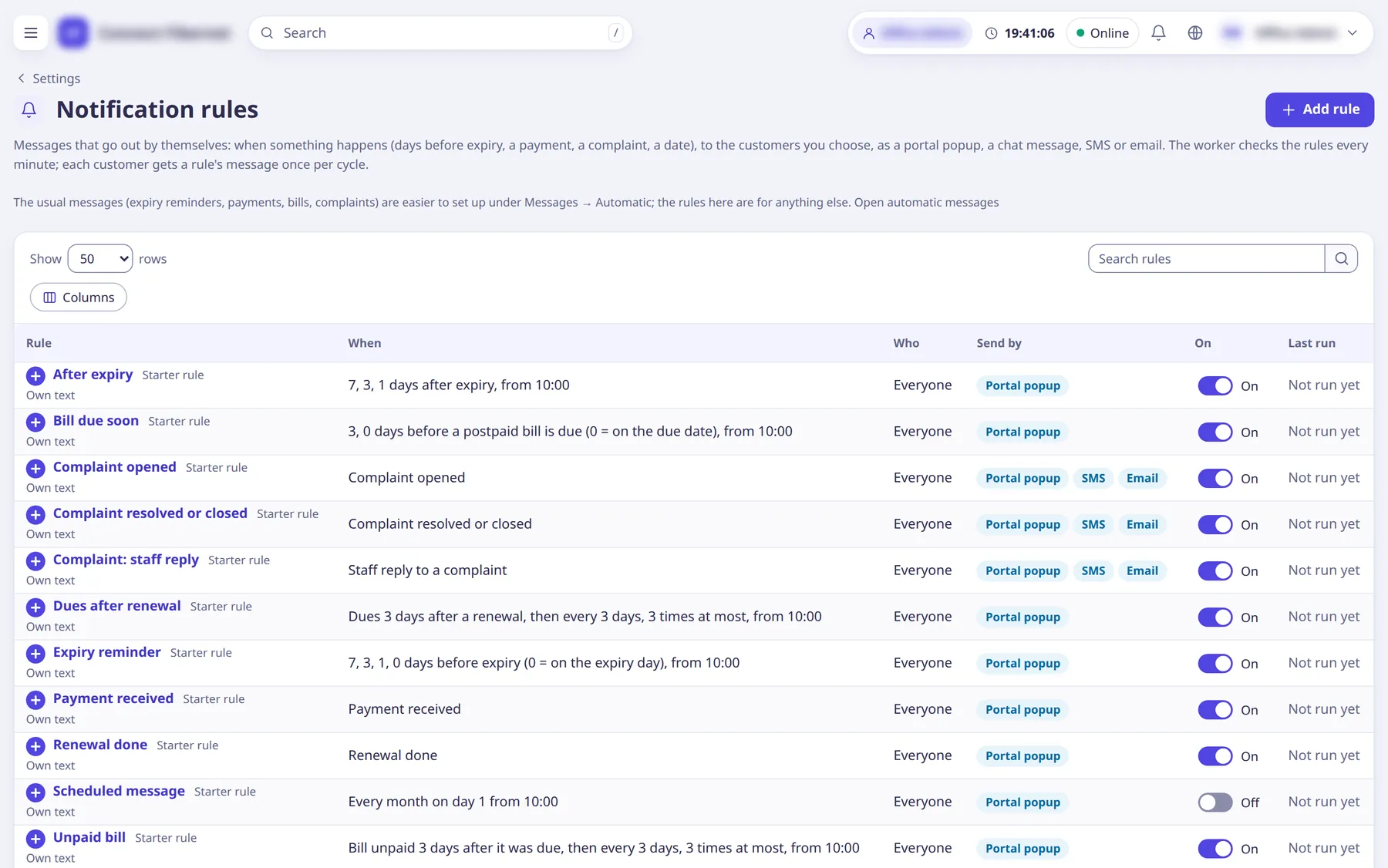
Open notification rules
,Messages
→ bulk messages to an area or chosen customers, andNotices
for banners with start and end dates.Message templates are managed under /messages/templates.
What saRa does
saRa's worker queues messages when the event happens (for example a renewal), de-duplicates them, respects quiet hours and sends over the chosen channels; the Messages page logs what was sent. Portal popups also reach the Android app.
Good to know
- Pause automatic billing (Settings →
Billing
) stops postpaid bills, cut-offs for unpaid bills and auto-renewals; handy while moving from another system. - Automatic messages can be switched off for one subscriber from the profile.