 saRa
How to answer a PTA / agency request (public IP and port lookup)
Steps
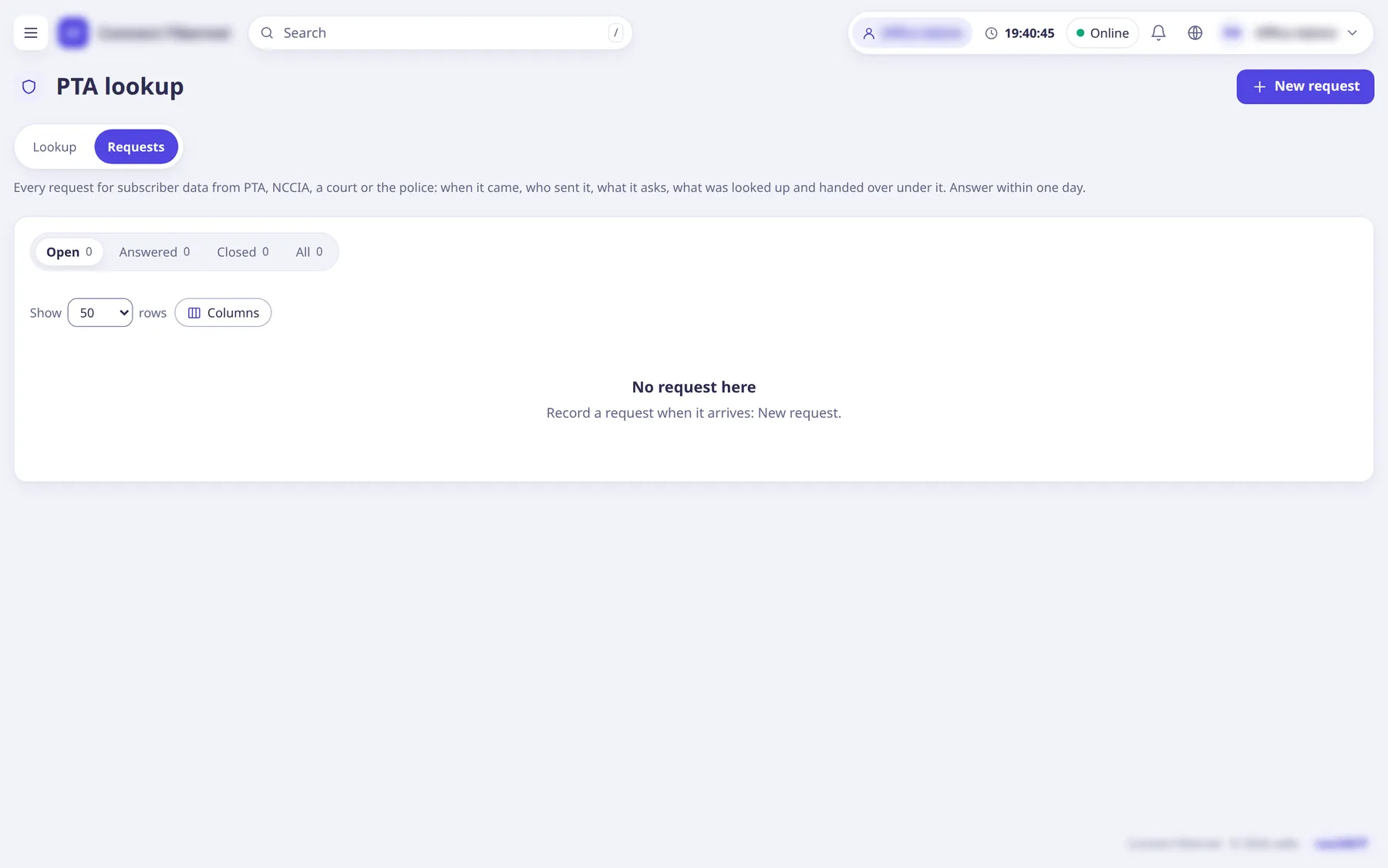
When a request arrives open Logs and reports →
PTA lookup
and theRequests
tab, then add the request with itsNew request
button.saRa shows a due time of received plus 24 hours.
Fill
Kind
,Agency
,Agency name or office
,Case, FIR or warrant number
,Officer name
,Designation
,Contact
,What is asked
and optionally the public IP, port or username asked; attachThe notice or warrant (optional)
(PDF, JPEG or PNG up to 10 MB, kept with its SHA-256).A preservation notice means: keep the data, hand nothing over. A court warrant means: hand over what it names.
On the request page place a hold so the named days and subscriber are kept past the normal retention: fill
Keep until
and aReason
; extend later with a new notice (90 days each).Hold bounds are checked; holds can be extended or lifted.
Open the
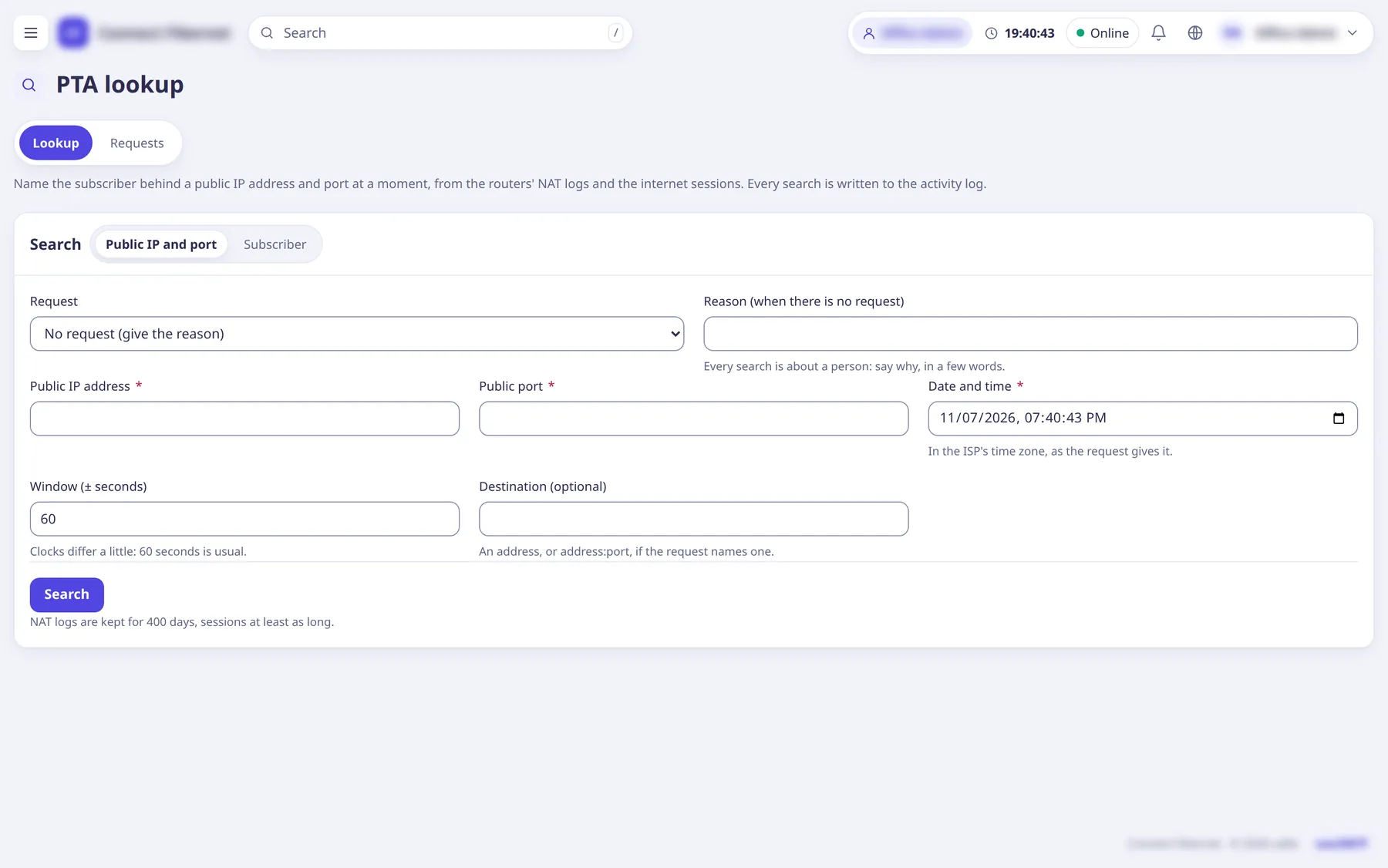
Lookup
tab. Choose theRequest
(or type aReason (when there is no request)
). Mode public address: enterPublic IP address
,Public port
,Date and time
(in the ISP's time zone, as the request gives it),Window (± seconds)
(60 is usual) andDestination (optional)
. ModeSubscriber
:PPPoE username
,From
andTo
. ClickSearch
.saRa finds the NAT log lines in the window, follows them to the private IP and the RADIUS session, and shows the subscriber and sessions. More than one match is shown as such; a gap or missing logs is stated plainly.
Press
Keep and print
to produce the letter with the lines relied on; sign and stamp it. Then record the answer on the request:What was handed over
,How
,Receipt or email reference
, and clickSave the answer
.Close the request when done; it can be reopened.
What saRa does
Every search is written to the audit log against the login and the request. The letter is kept as evidence with its SHA-256, and the platform seals each day's NAT logs and session digests in a hash chain so altering logs breaks the seal. NAT logs come from the routers over syslog (UDP 5514) into saRa's receiver; each router's page has a PTA logging
tab with the setup commands, and the Owner sets retention and the receiver address under Platform → PTA NAT logs
(Keep NAT logs for (days)
, at least 365).
Good to know
- Dates before saRa's NAT logs began have sessions only; a public IP and port cannot be tied to one subscriber for those dates, and the letter says so.
- Never hand over more than the warrant names and never use WhatsApp groups for it.
- Runbook: docs/runbooks/pta_request.md; plan: docs/decisions/0002-pta-logging.md (some parts such as the second NAT hop and off-site copy are plans, not yet built).