 saRa
How to set up the saRa Android app and push notifications
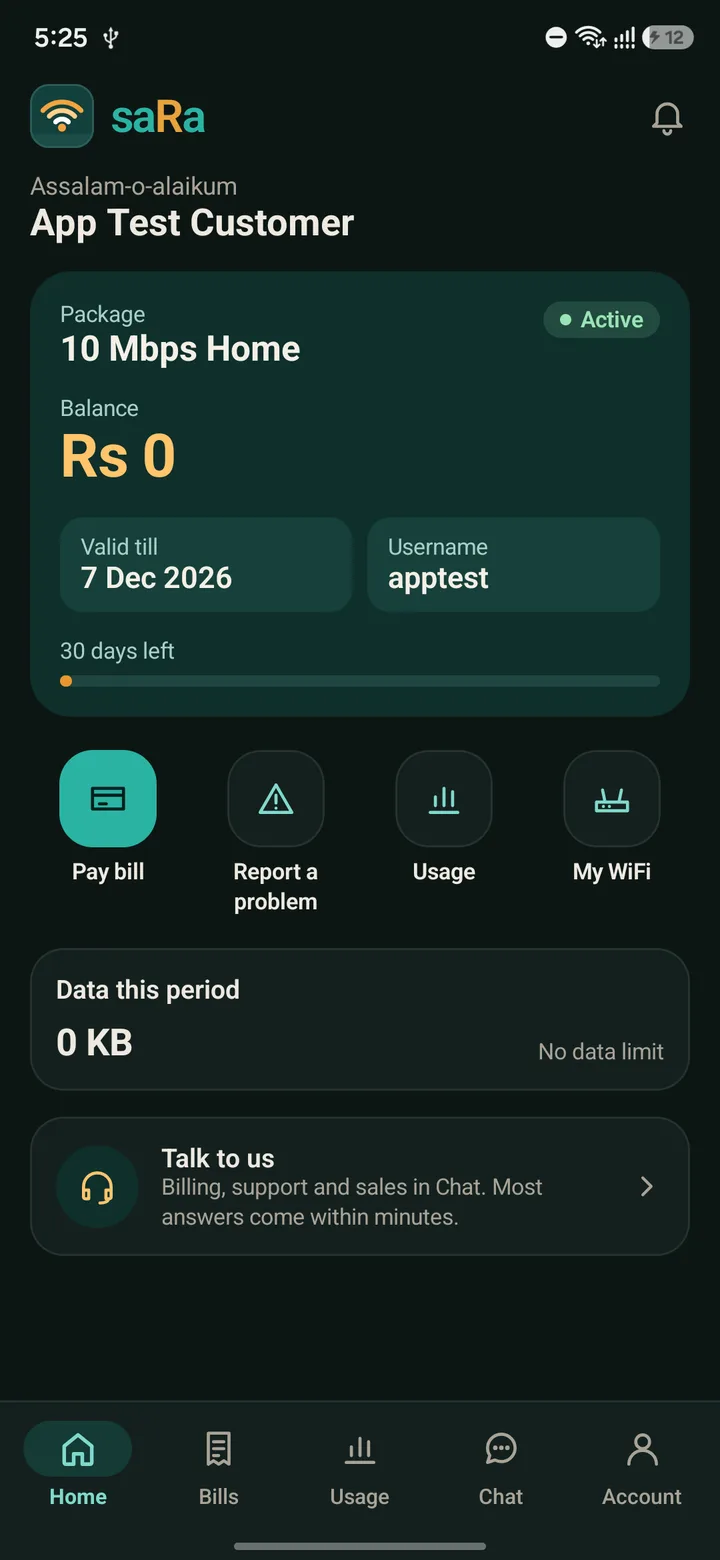
Steps
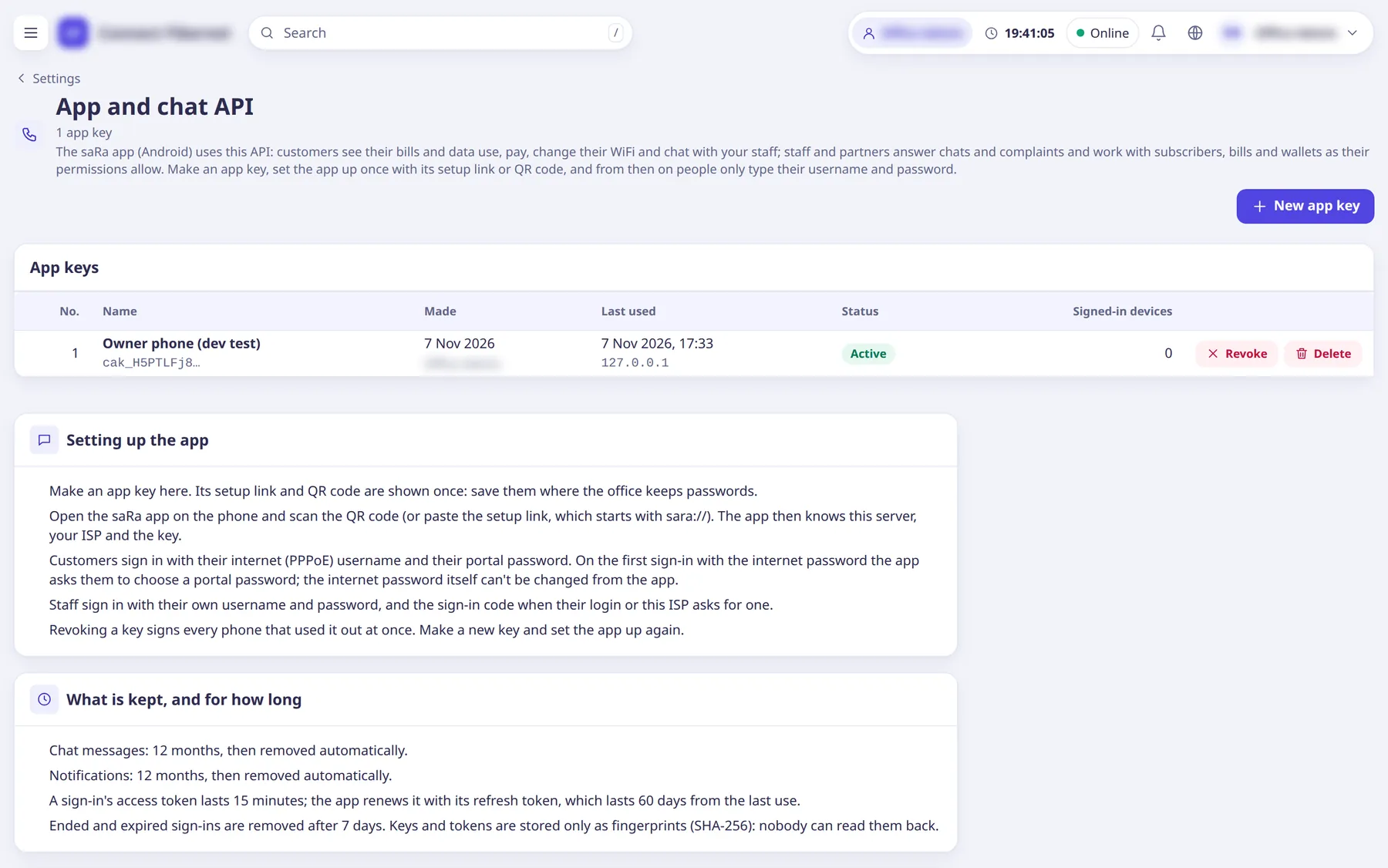
Open Settings →
API
tab →App and chat API
and clickNew app key
(popup), thenMake key
.The key's setup link (starting with sara://) and a QR code are shown once: save them where the office keeps passwords. Keys are stored only as fingerprints (SHA-256).
On the phone install the saRa app, open it and scan the QR code or paste the setup link.
The setup is asked once; the app then shows the ISP's name and does not ask again unless the user chooses
Change server
in Account.Customers sign in with their PPPoE username and portal password; on the first sign-in with the internet password the app asks them to choose a portal password. Staff and partners choose
Staff or partner
and use their own username and password, plus the sign-in code when two-step is required.The app has English and Urdu (right to left) and light / dark / system theme.
Customer tabs: Home, Bills, Usage, Chat, Account (with My WiFi and Your router). Staff tabs appear only when their role holds the permission: chats and complaints, subscribers (search, view, renew, disconnect), money (invoices and payments), more.
Permissions come from the same role system as the website.
To stop a phone, revoke the key on the App keys page: every phone that used it is signed out at once. Make a new key and set the app up again.
Ended and expired sign-ins are removed after 7 days.
What saRa does
When the server has push switched on (Firebase Cloud Messaging key on the server), the app registers a device token after sign-in. Every chat message becomes a heads-up notification and every automatic notice a full-screen notice over other apps (if the user allowed Display over other apps
). The push carries only ids (never names, amounts or text): the app fetches the content over saRa's authenticated API. Token is deleted at sign-out. Phones without Google services get no push but keep the live in-app stream.
Good to know
- Push is off unless the server operator configures the Firebase service key; the app works without it.
- Settings in the app: language, theme, Sounds, Change server, notices, sign out.
- The app needs Android 8.0 (minSdk 26) or newer.