saRa
Everything saRa does
One section per part of the product, with the screens your staff will use. Screenshots come from a demo server; personal details are blurred.
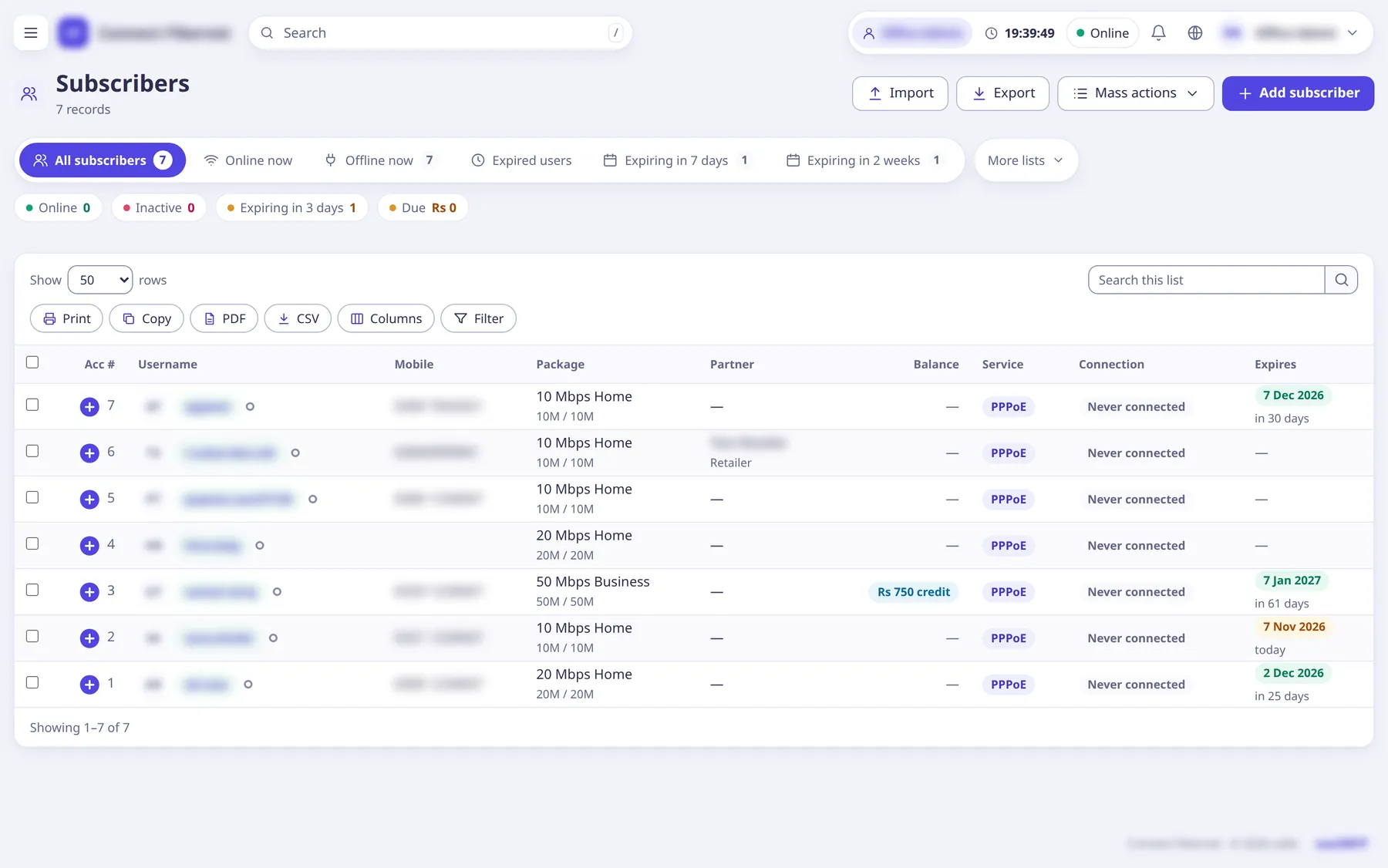
Subscribers
Each customer, their login and their money in one place.
- PPPoE and hotspot logins; FreeRADIUS reads them from saRa’s database the moment you save
- Ready lists: online now, offline, expired, expiring in 7 days or 2 weeks, expired but online
- Every list keeps a “+” row for the columns that do not fit
- Import from CSV or Excel, up to 5,000 rows, checked before anything is saved
- Mass actions: pay, message, change settings for many at once
Renewals and payments
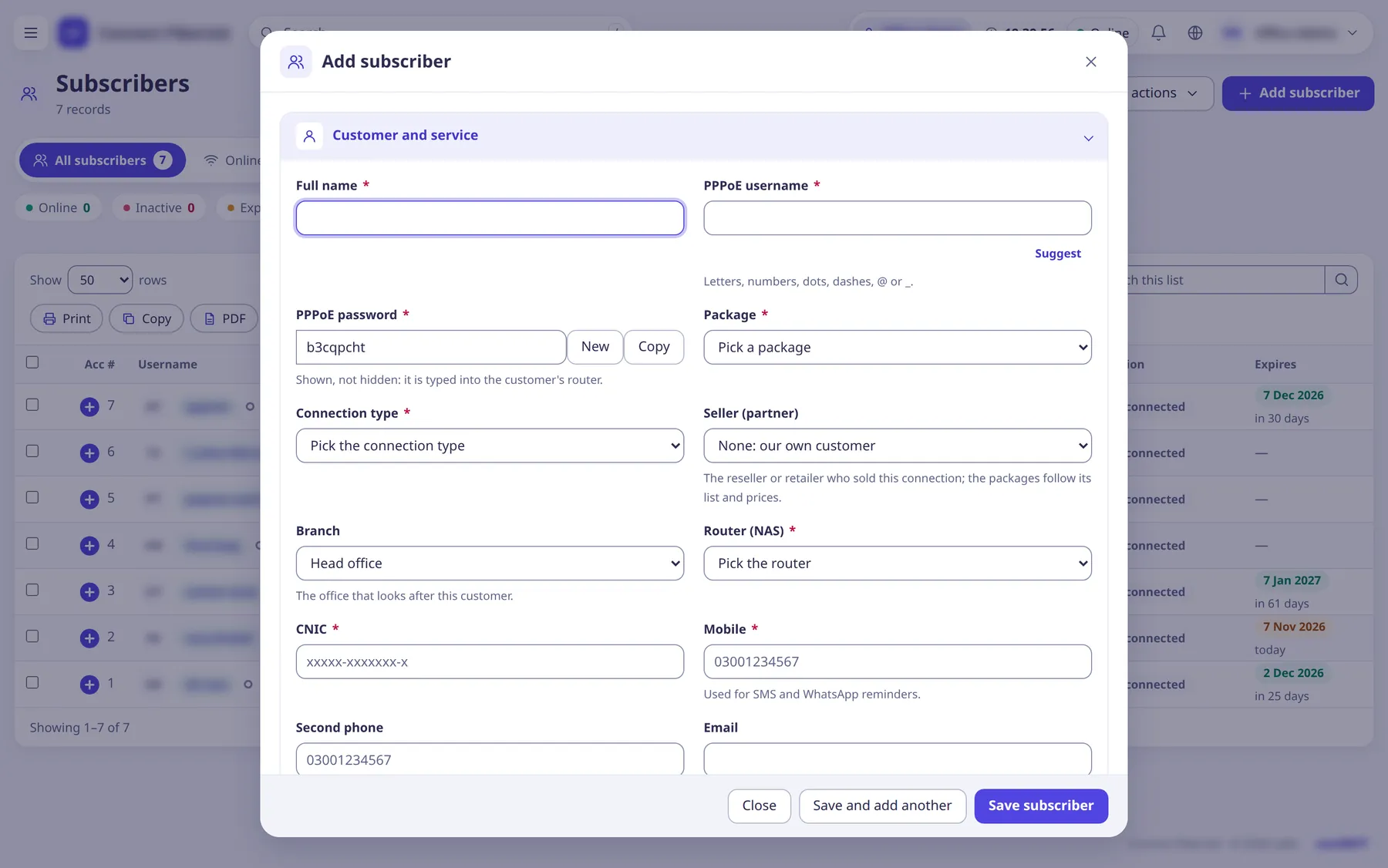
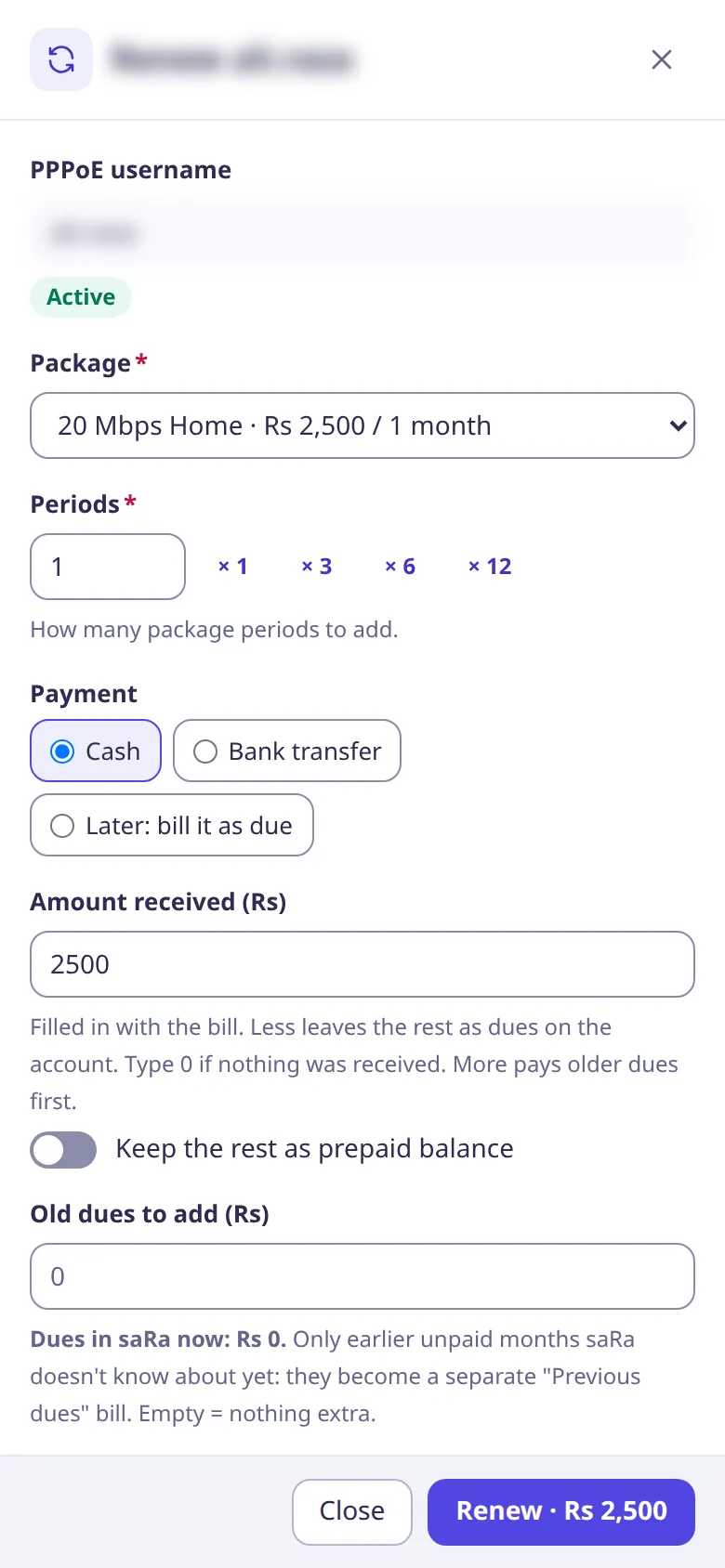
The Renew popup shows the new expiry, the total, the amount received and the dues left before anyone presses the button.
- Cash, bank transfer, or bill it as due
- Pay less and the rest stays as dues; pay more and older dues are paid first
- Prepaid balance and prepaid cards
- Print an 80 mm receipt on the spot
- A double click or a retry never charges twice
- Staff logins renew from a staff balance that an administrator tops up
Invoices
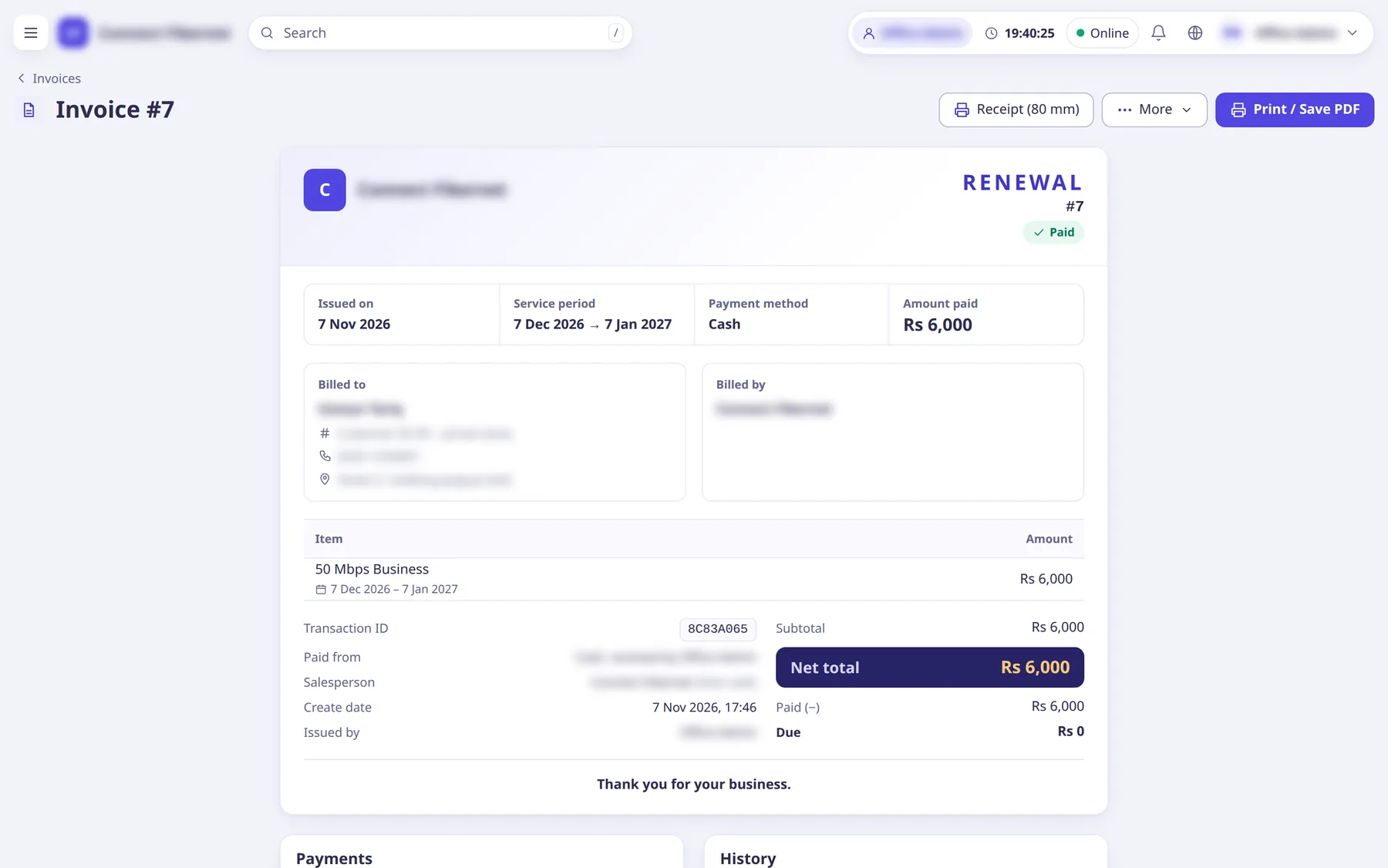
Every renewal makes an invoice; custom invoices cover installation, equipment and visits.
- A4 or 80 mm receipt
- Receive payment on unpaid invoices
- Reverse an invoice and the money goes back where it came from
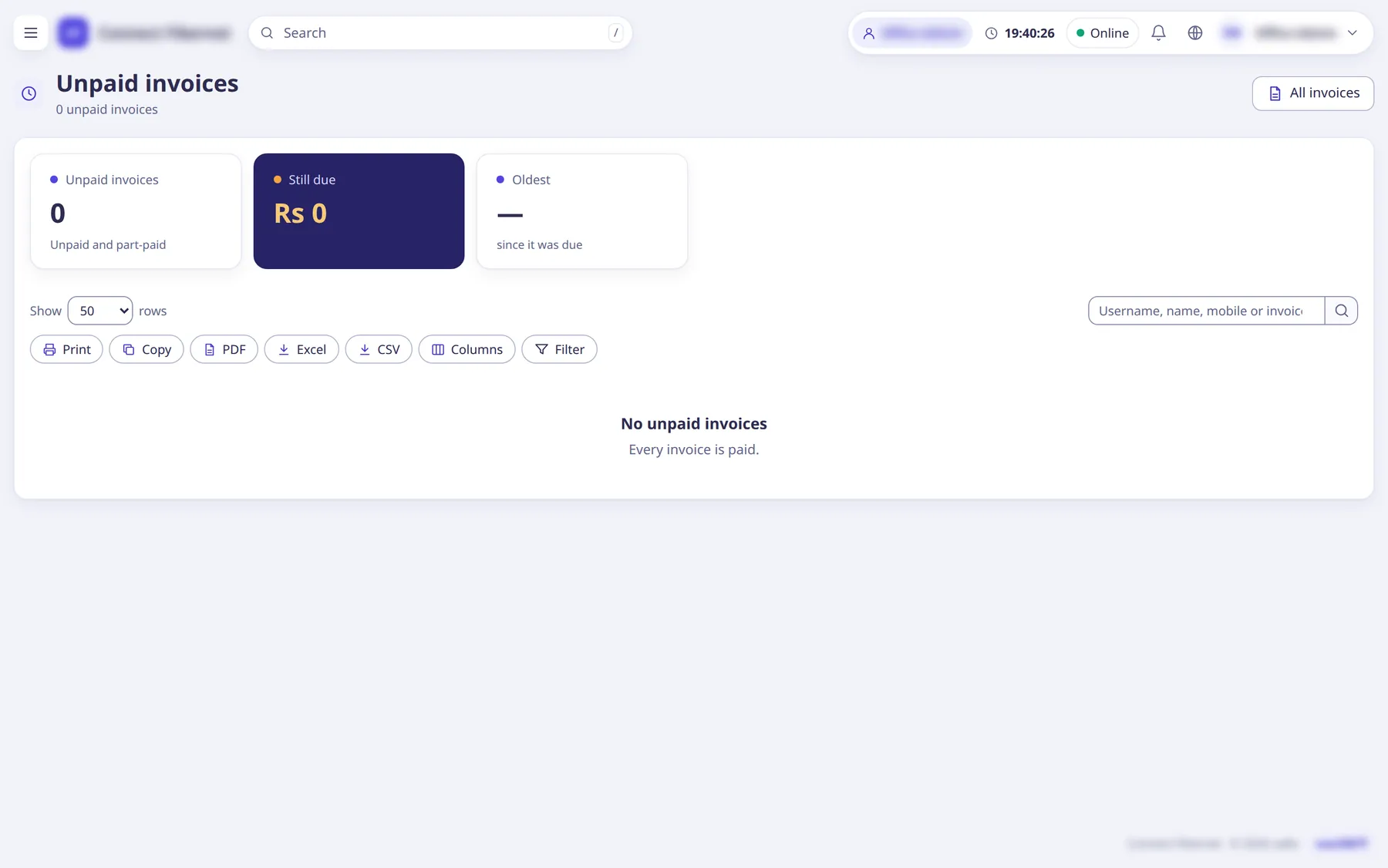
- Unpaid invoices in one list
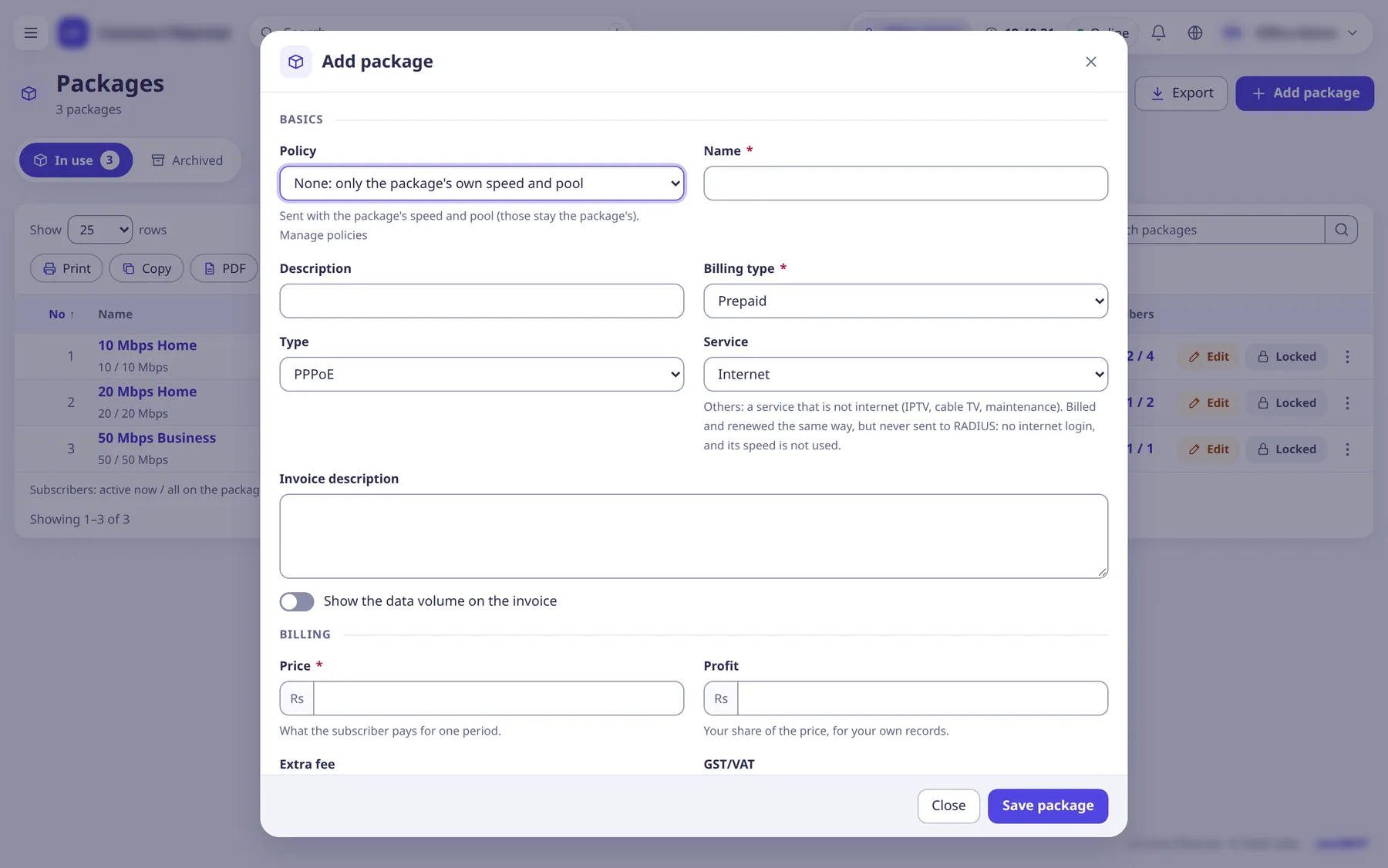
Packages and policies
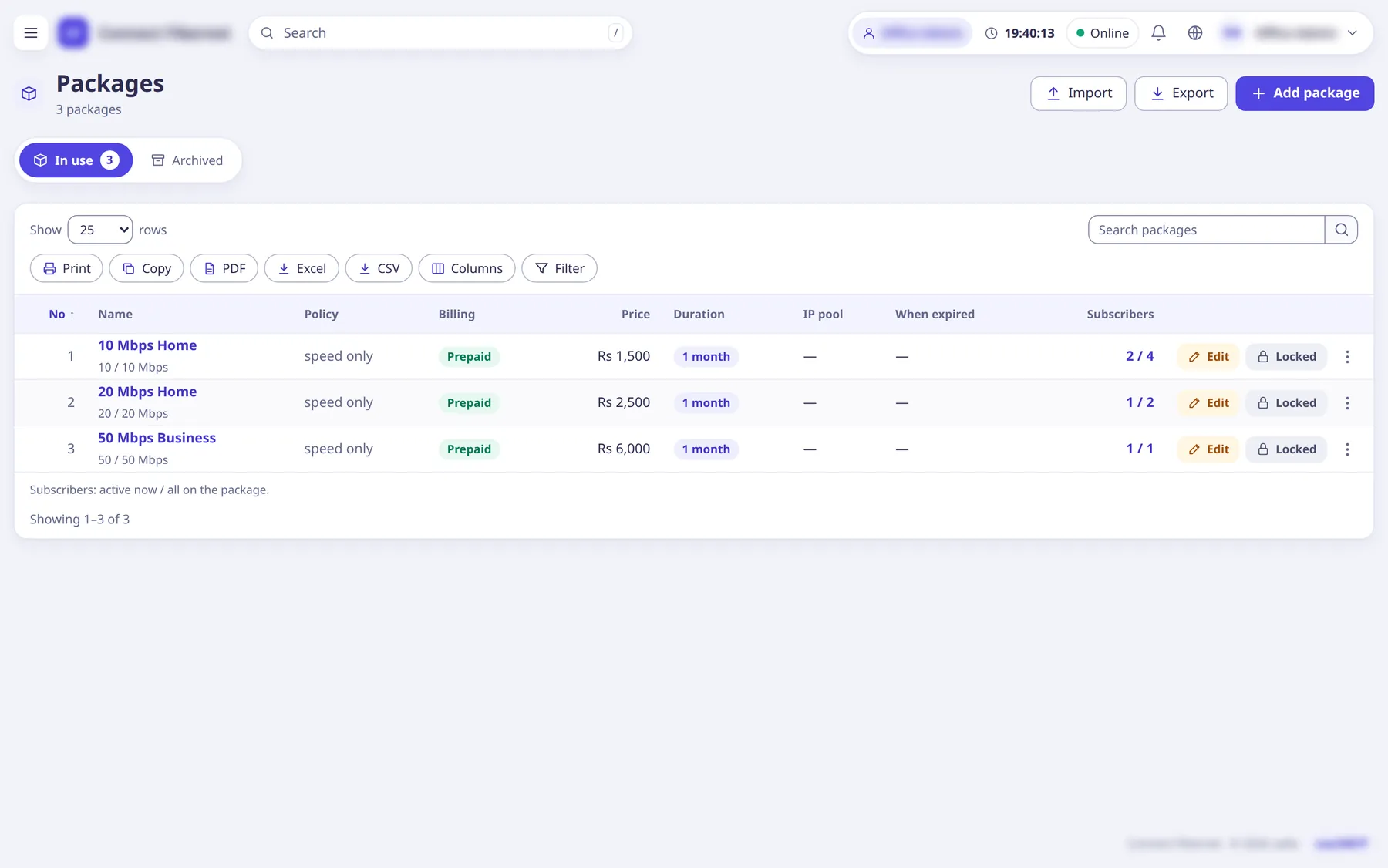
What a customer buys, and what the network gives them for it.
- Price, period, download and upload speed
- Prepaid or postpaid billing
- Policies and IP pools, including the pool for expired customers
- Taxes and extra fees in fee groups
- Import packages and policies from CSV
Routers and RADIUS
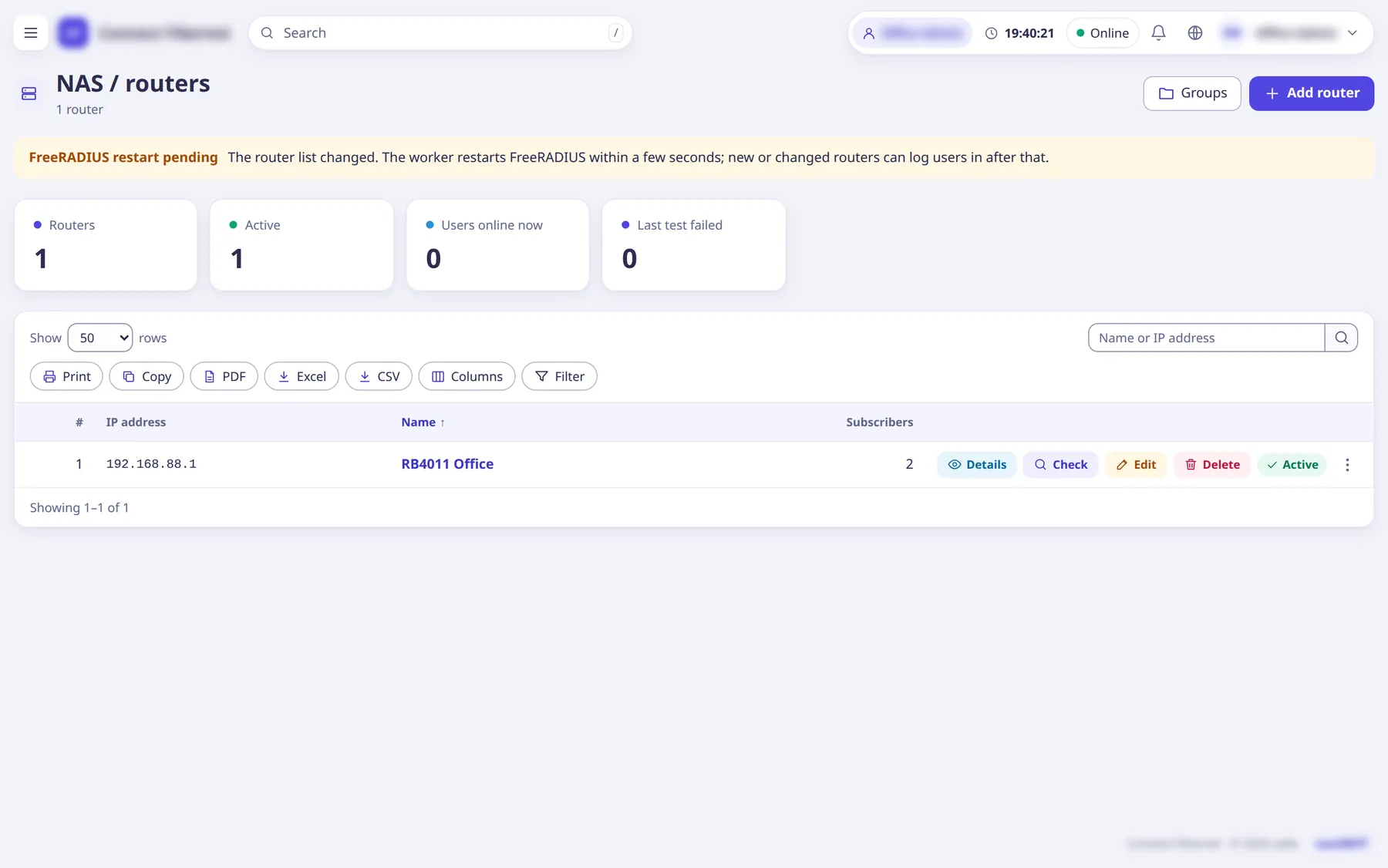
What staff do in saRa is what the network does: FreeRADIUS reads saRa’s database directly, with no copy or sync step.
- MikroTik RouterOS 6 and 7
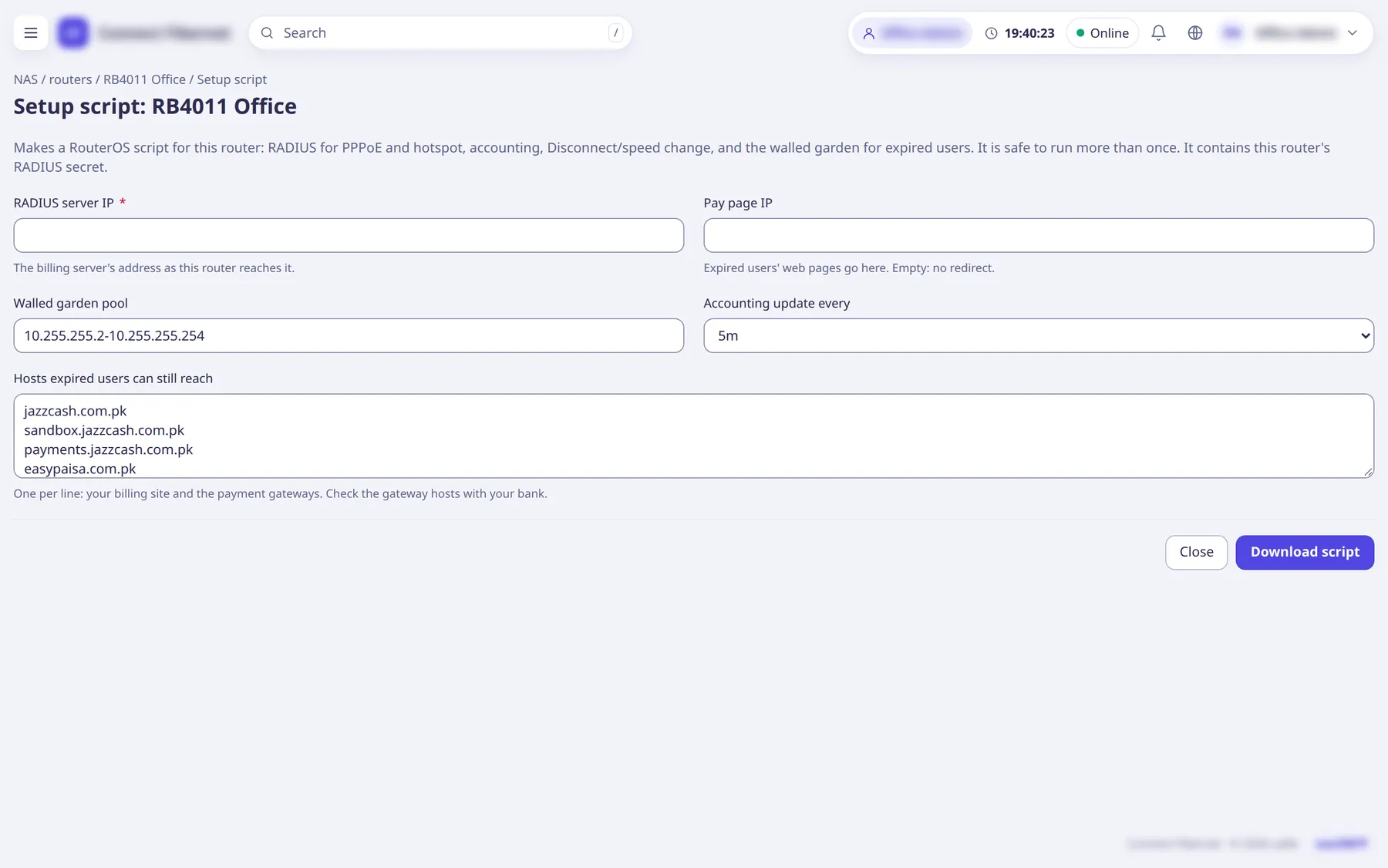
- A setup script per router: RADIUS, accounting, disconnect and speed change, walled garden
- Expired customers land in a walled garden where they can still reach the pay page
- Every RADIUS lookup and accounting write is tied to the ISP of the router that sent it
- Read live sessions and traffic over the RouterOS API; import PPP profiles, pools and PPPoE users
Cash book and handovers
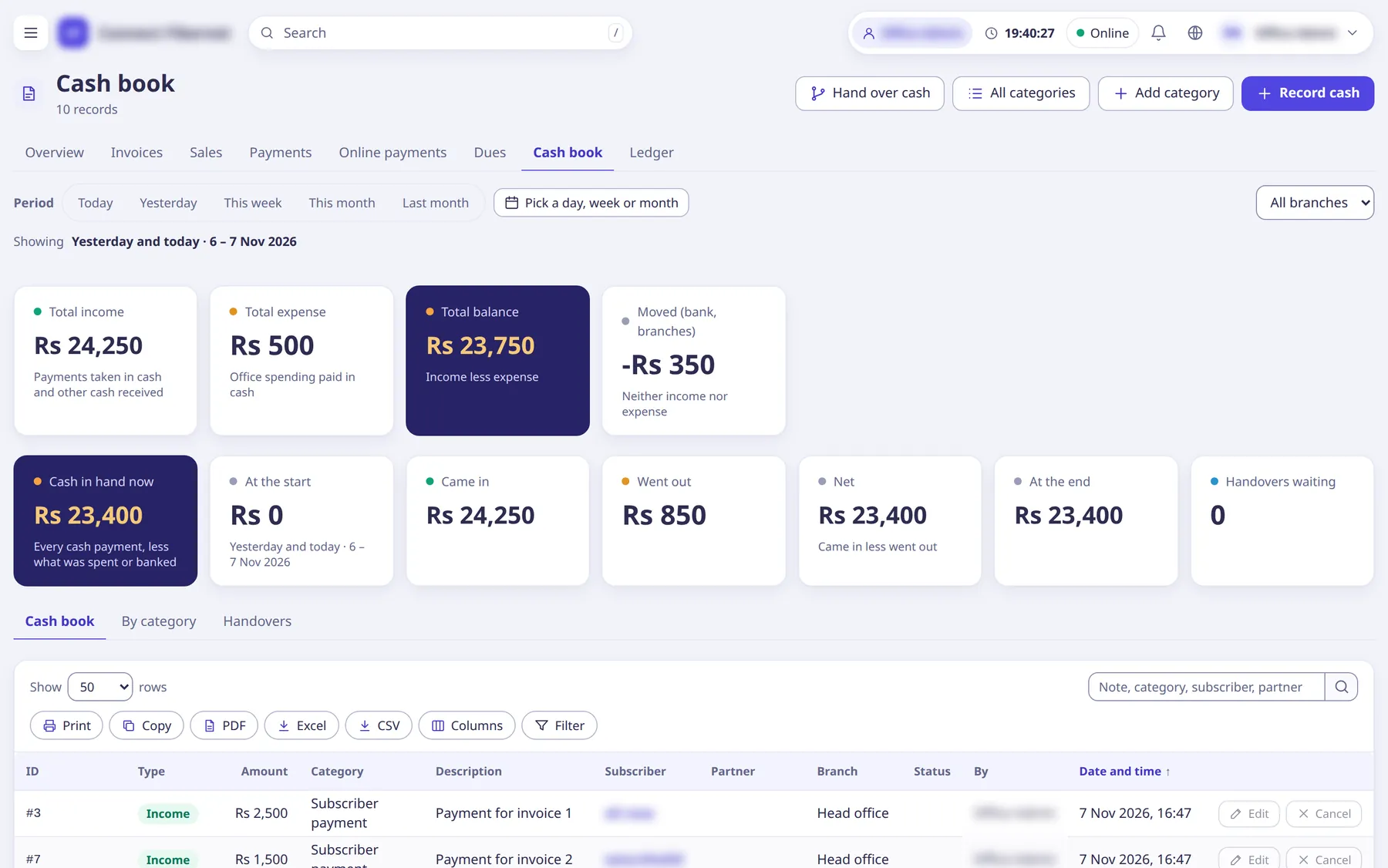
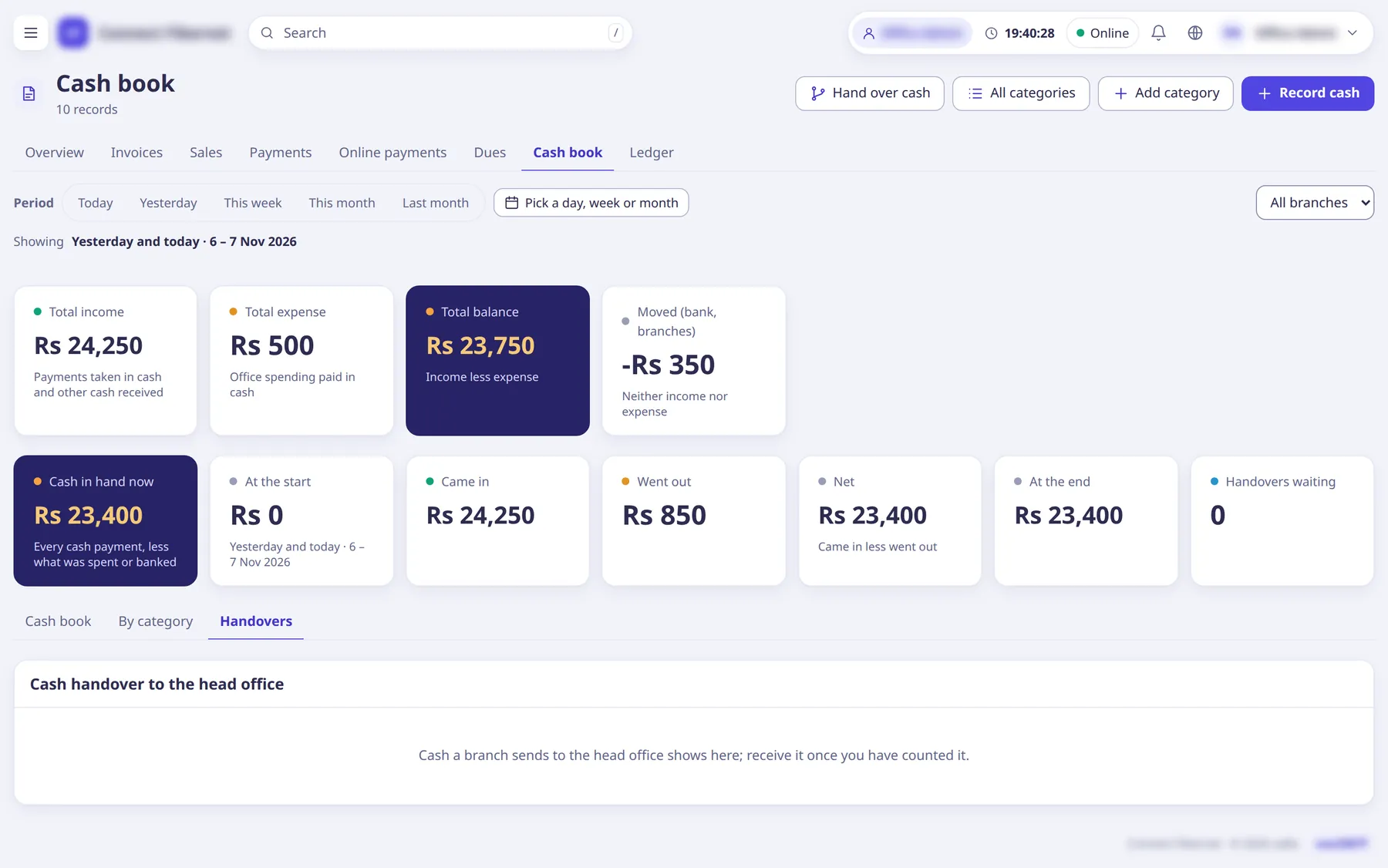
Money taken at the counter is counted the moment it is taken.
- Cash payments go to cash in hand by themselves
- Record expenses by category
- Staff hand cash over to a branch or to the head office; the head office receives it
- A branch’s day is closed when the head office receives its handover
- A day limit and a before-handover limit per staff login
Staff, roles and balances
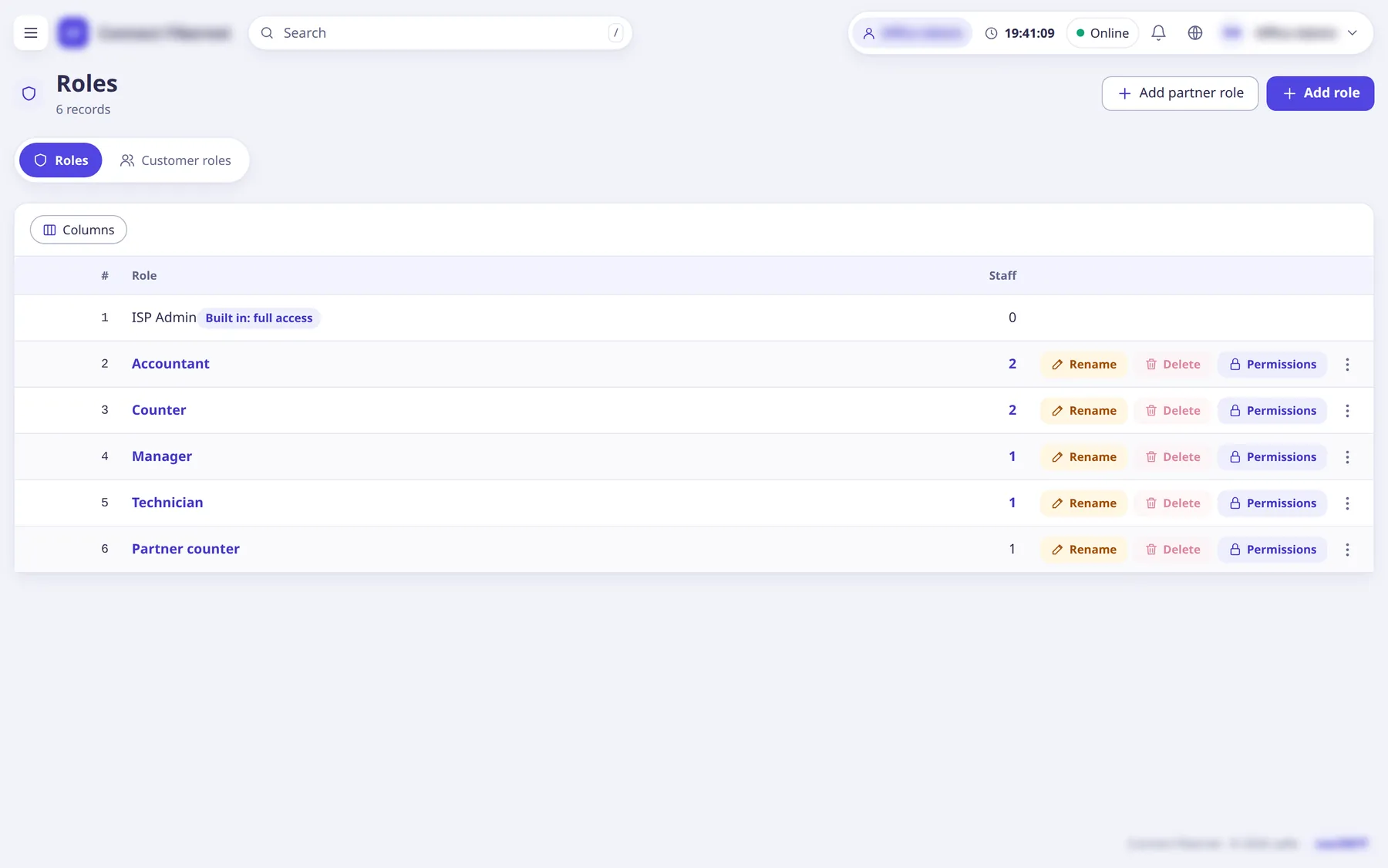
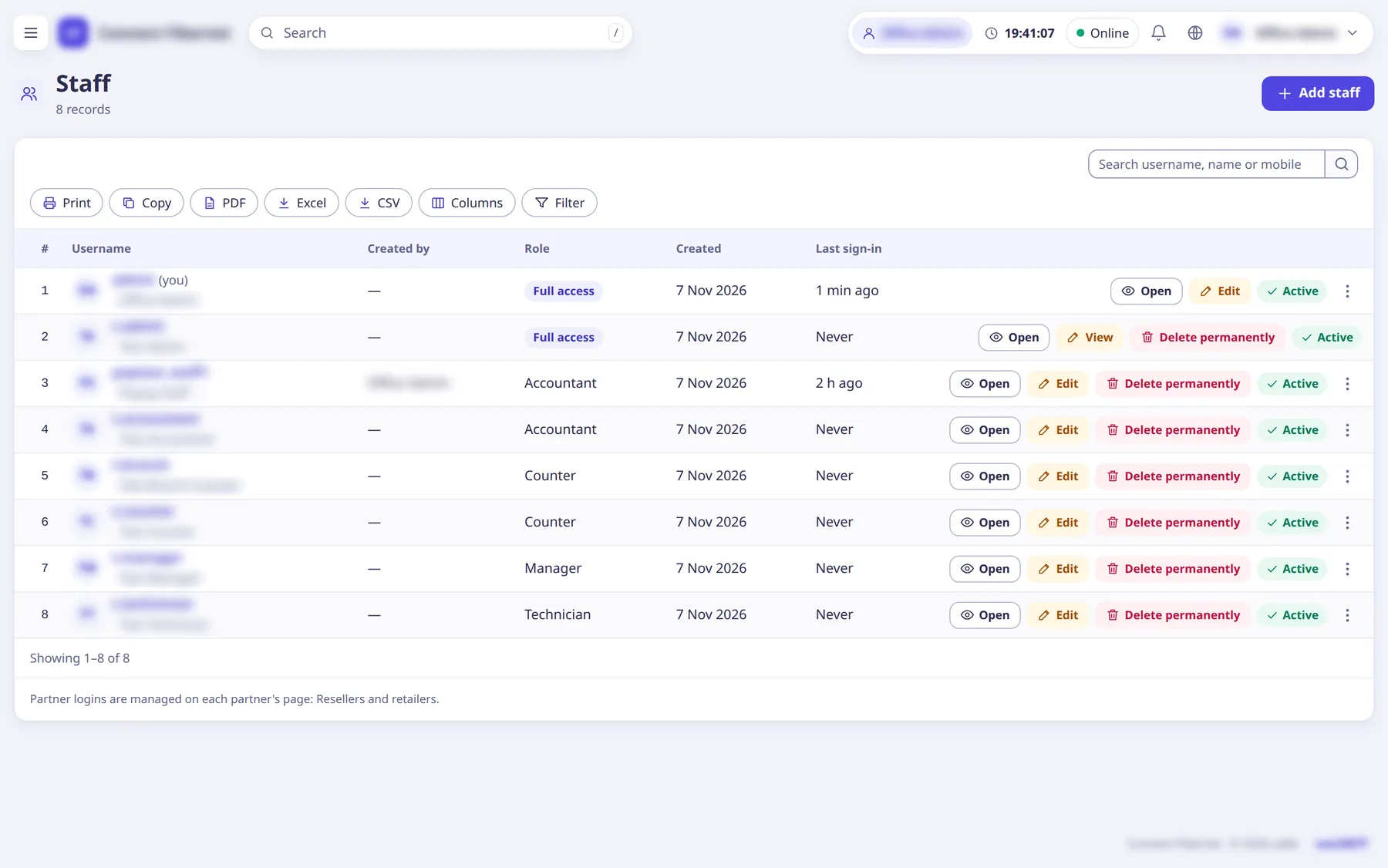
Each login does what its role allows, and nobody manages someone above them.
- Six default roles for a new ISP: Manager, Accountant, Recovery officer, Support, Technician, Counter staff
- Custom roles, permission by permission
- Admin ladder: Owner, super admins, ISP administrators, staff, partner logins
- Staff balance for renewals, cash limits and allowed sign-in addresses
- Two-step sign-in with an app code or SMS
Staff salary and advances
Salaries, advances and repayments, in the same cash book as everything else.
- Employees with or without a saRa login
- Advances as loans, paid back in instalments or in cash
- Absent days taken off the month
- Salary is a cash book expense; advances move cash, not expense
Resellers and retailers
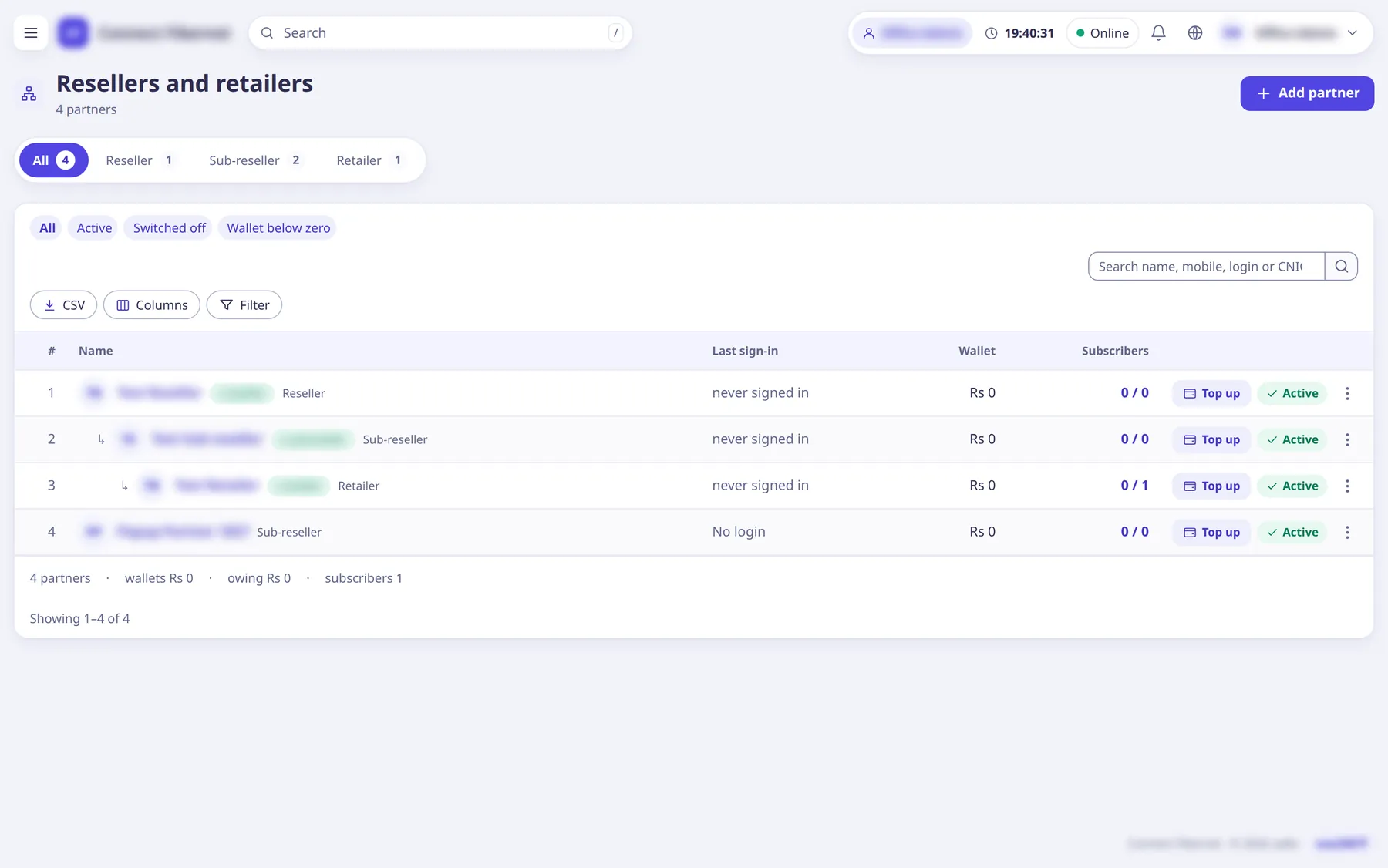
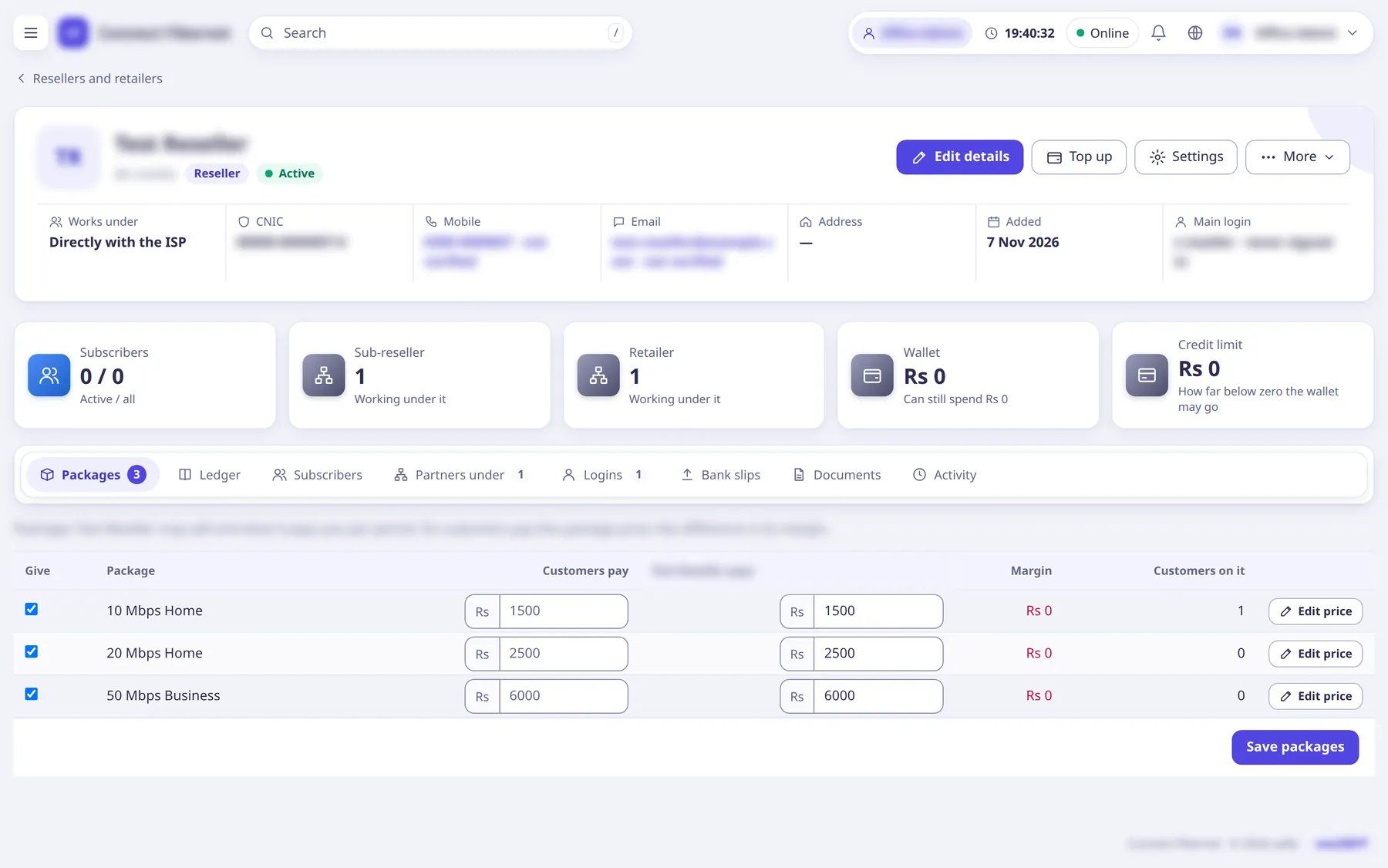
Partners sell under the ISP with a wallet of their own.
- Wallet with an optional credit limit
- Own package costs and own customer prices
- Own logins, with a limited set of rights
- Sub-resellers and retailers below them
- Top up, transfer and a full wallet ledger
Complaints and chat
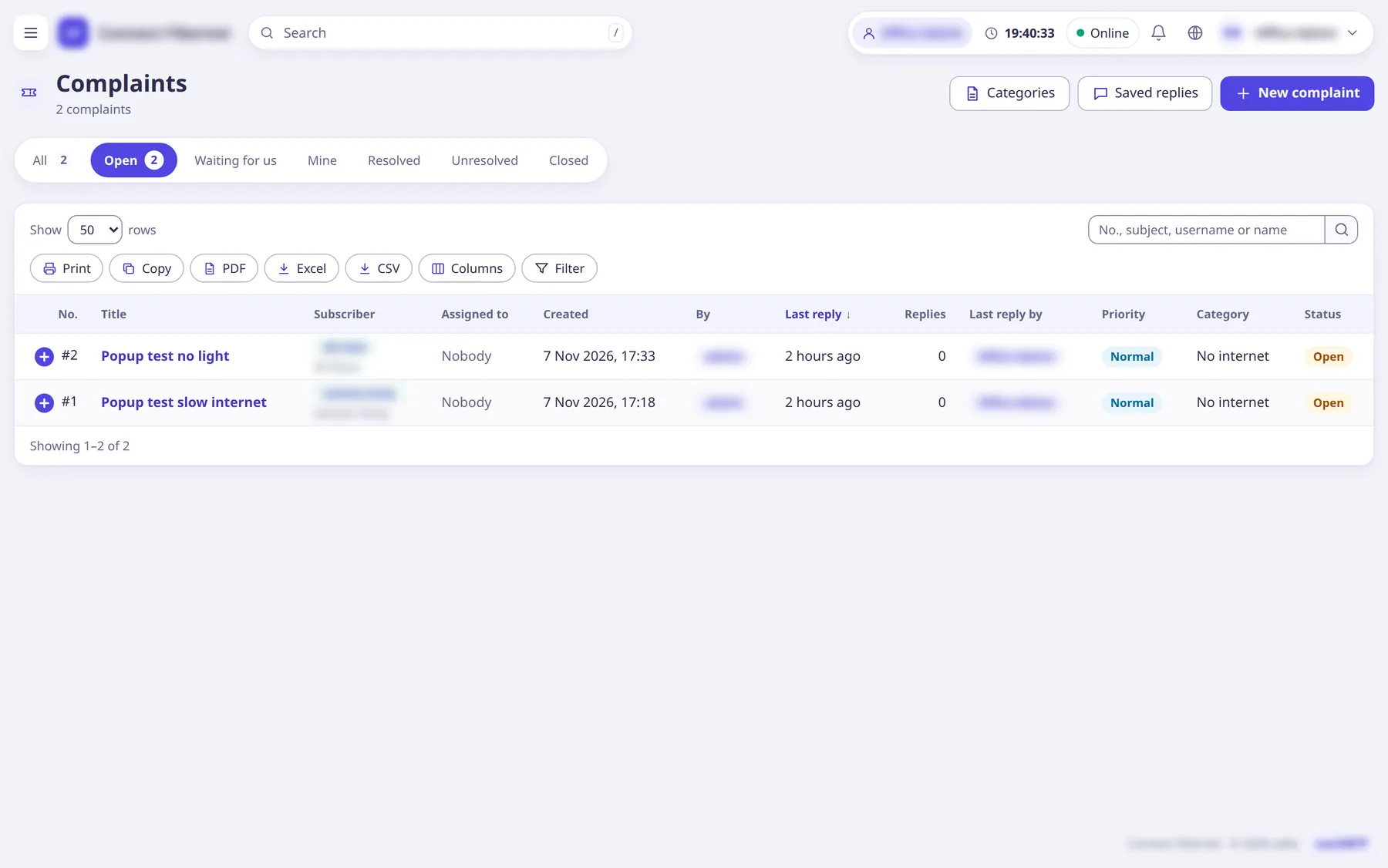
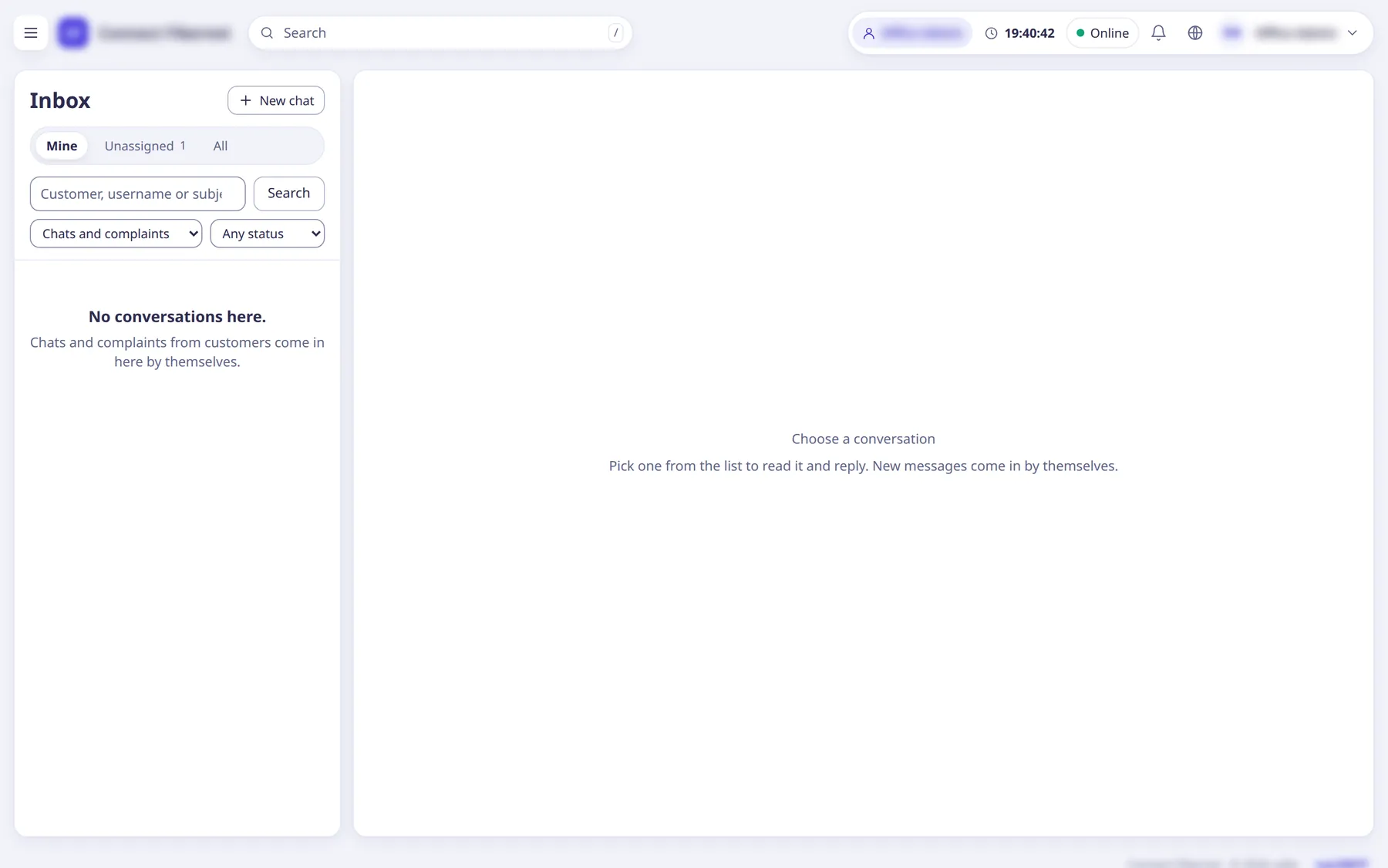
One inbox for chats and complaints, from the portal and the app.
- Category, priority, assignee and status
- Internal notes, saved replies and attachments
- Live delivery with sent and seen ticks
- Which staff a customer may chat with is set by customer roles
Customer portal
Customers pay, check their package and usage, change their WiFi and report a problem without calling.
- Package, expiry, balance and usage
- Pay online through the ISP’s payment gateways
- A Quick Pay page that needs no login
- Chat and complaints
- A captive portal page for hotspots
Home routers (TR-069)
Customers change their WiFi name and password from the portal; staff link and refresh the router.
- Works through a TR-069 server (GenieACS)
- The router applies the change the next time it checks in
- saRa does not keep WiFi passwords
Automatic messages
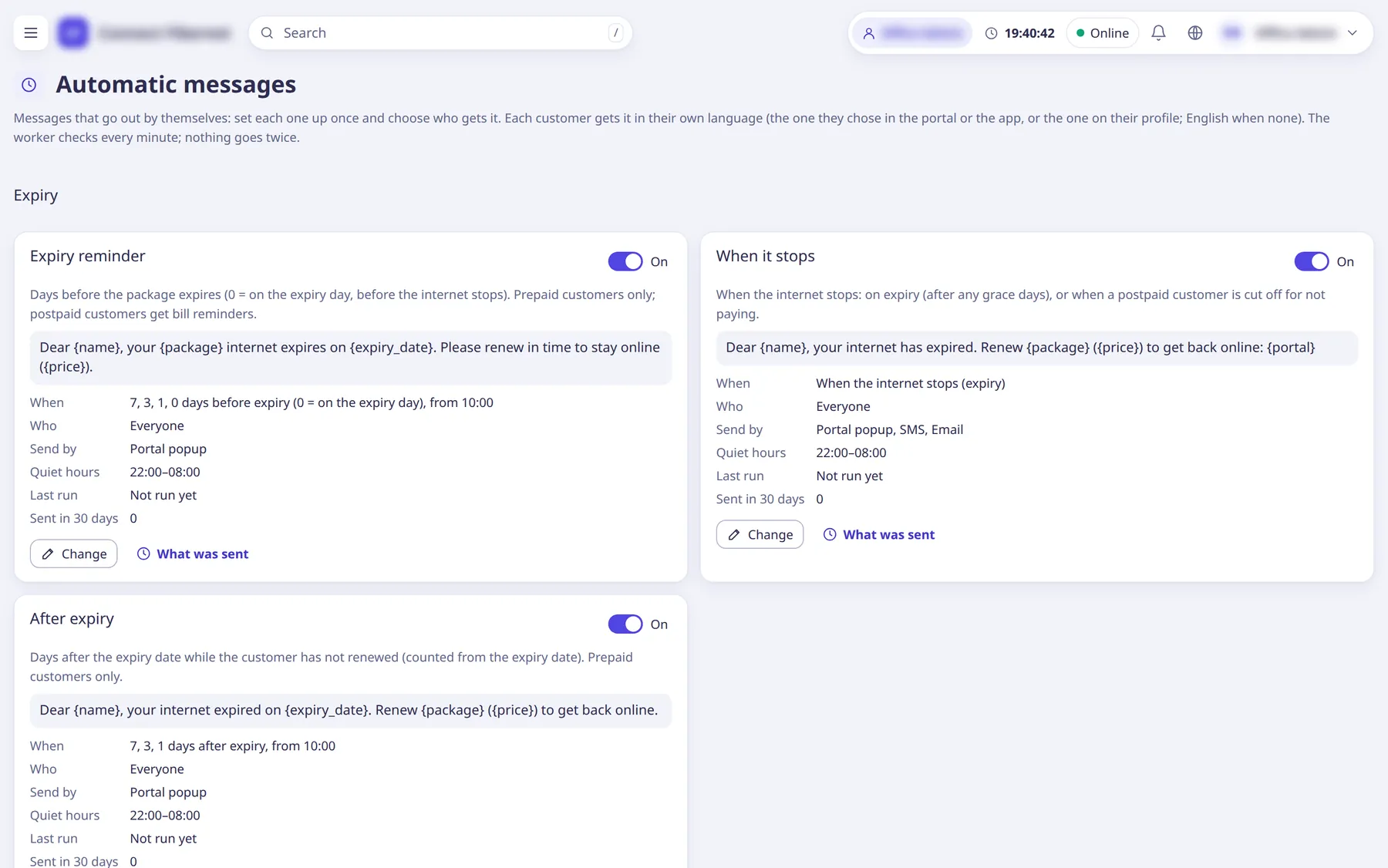
The reminders an ISP sends every day, sent for you.
- Expiry reminder, when it stops, after expiry
- Payment received, renewal done, unpaid bill, bill due soon, dues after renewal
- Complaint opened, staff reply, resolved or closed, and scheduled messages
- SMS, WhatsApp, email, chat or portal popup, in the customer’s own language
- Quiet hours, and a log of what was sent
PTA lookups and lawful logs
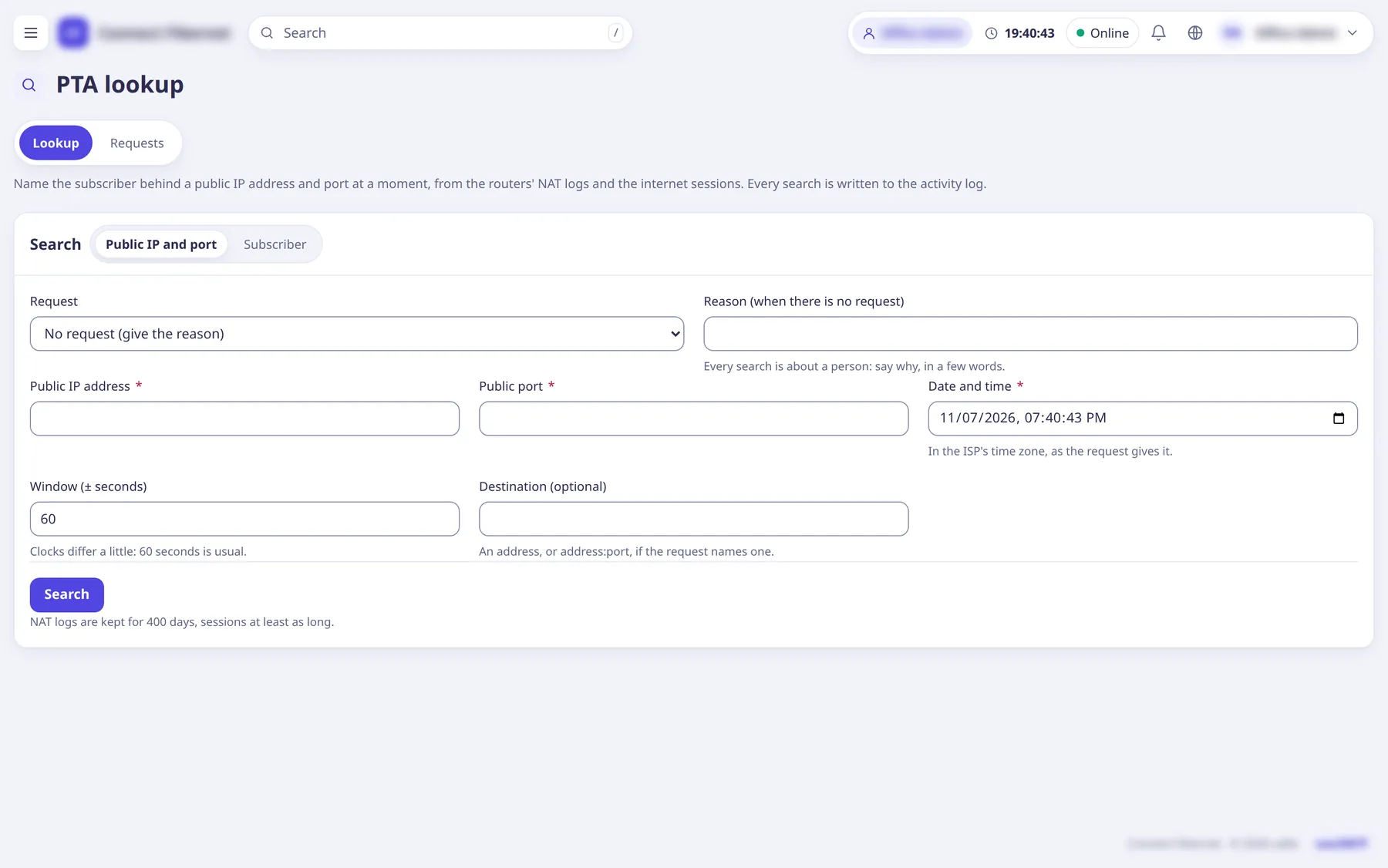
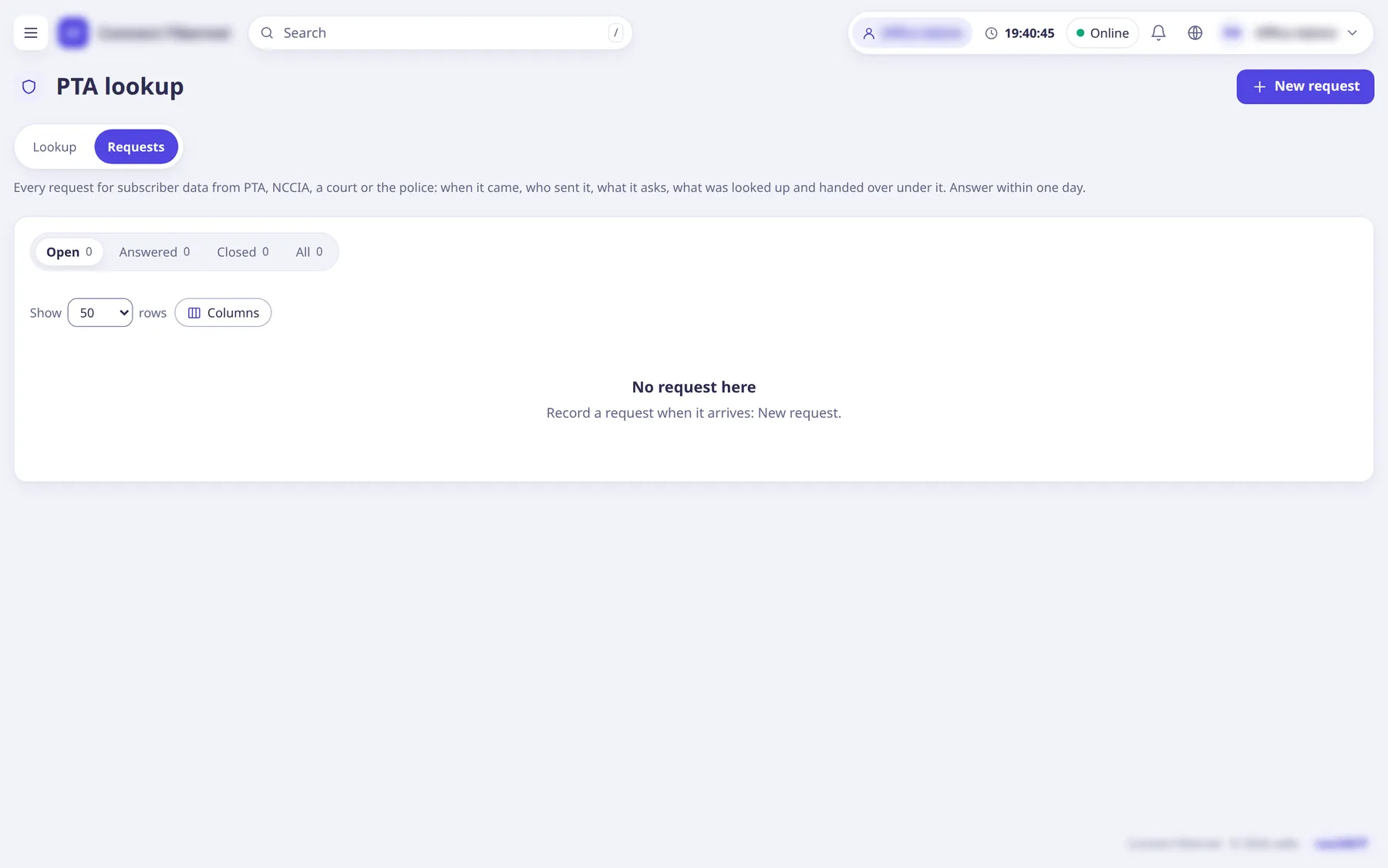
Answer an agency request with evidence, not a guess.
- NAT logs from the router (syslog), kept for the period you set
- Look up who had a public IP and port at a given time
- A register of every request: when it came, who sent it, what was asked and answered
- Holds that keep the named days
- Printable letters; each day’s logs sealed so changes show
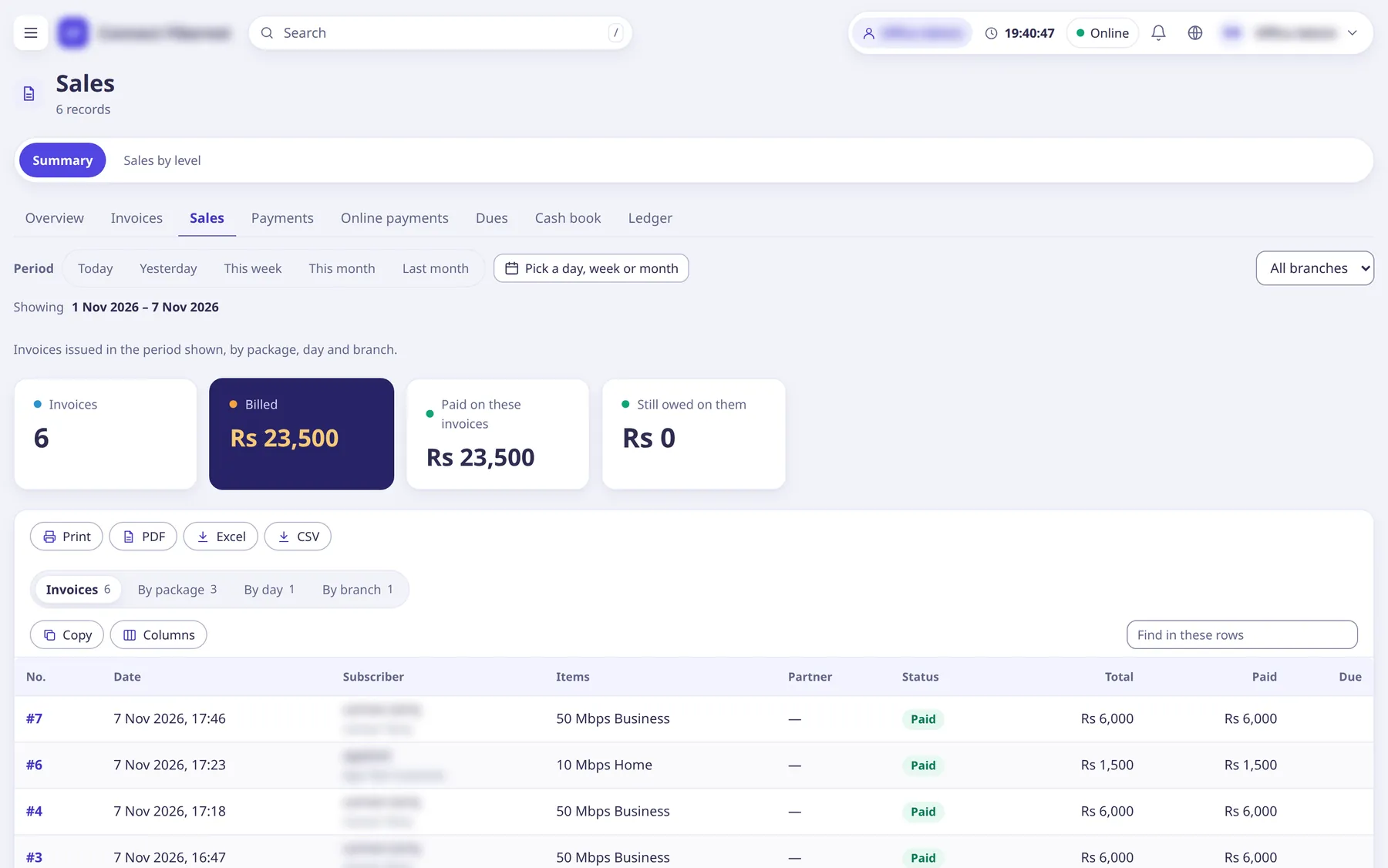
Reports and accounting
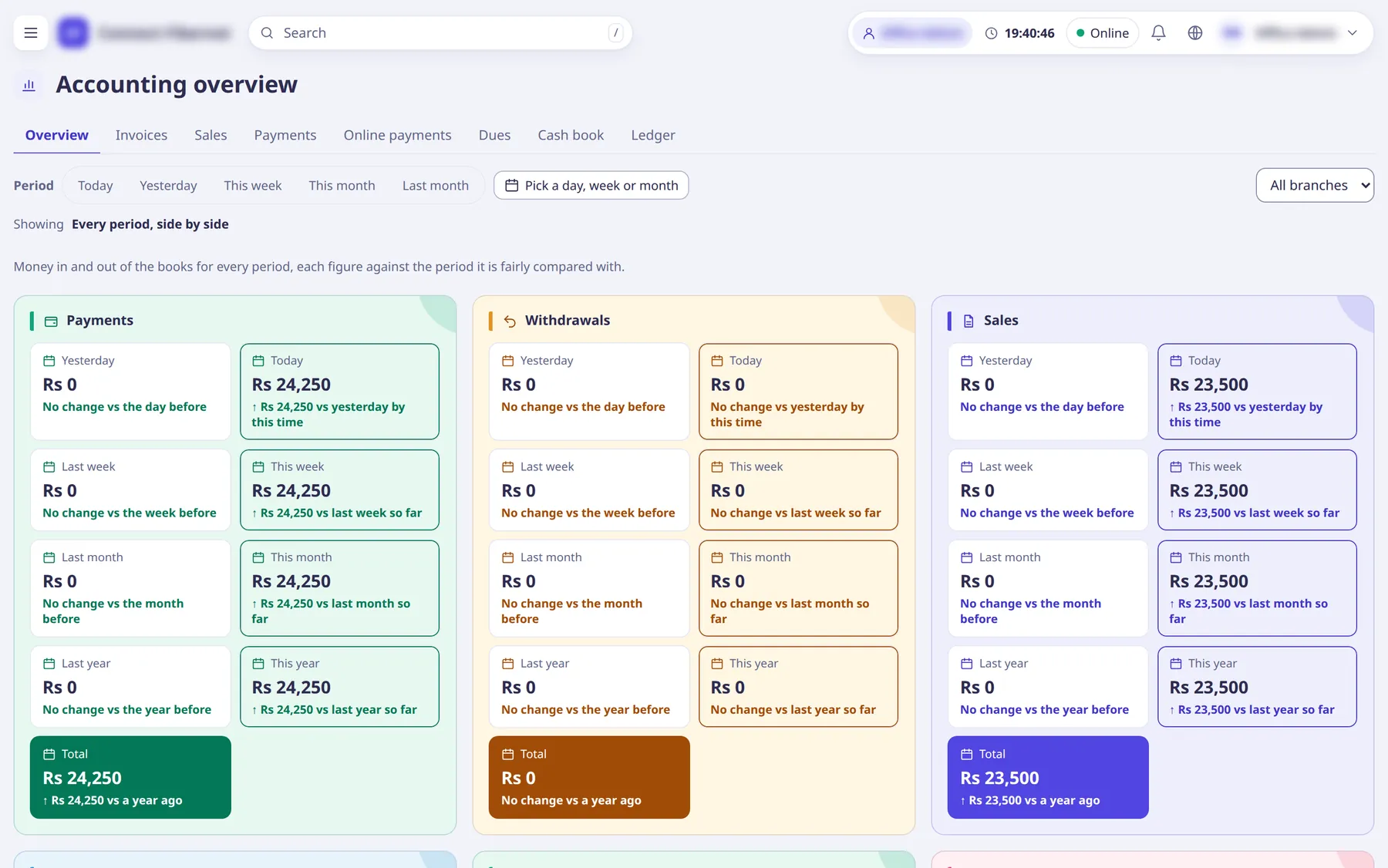
Reports read the same ledger that renewals and payments write.
- Overview, invoices, sales, payments, online payments, dues, cash book and ledger
- Partner-wise, expiring, collections and usage reports
- CSV, Excel or print
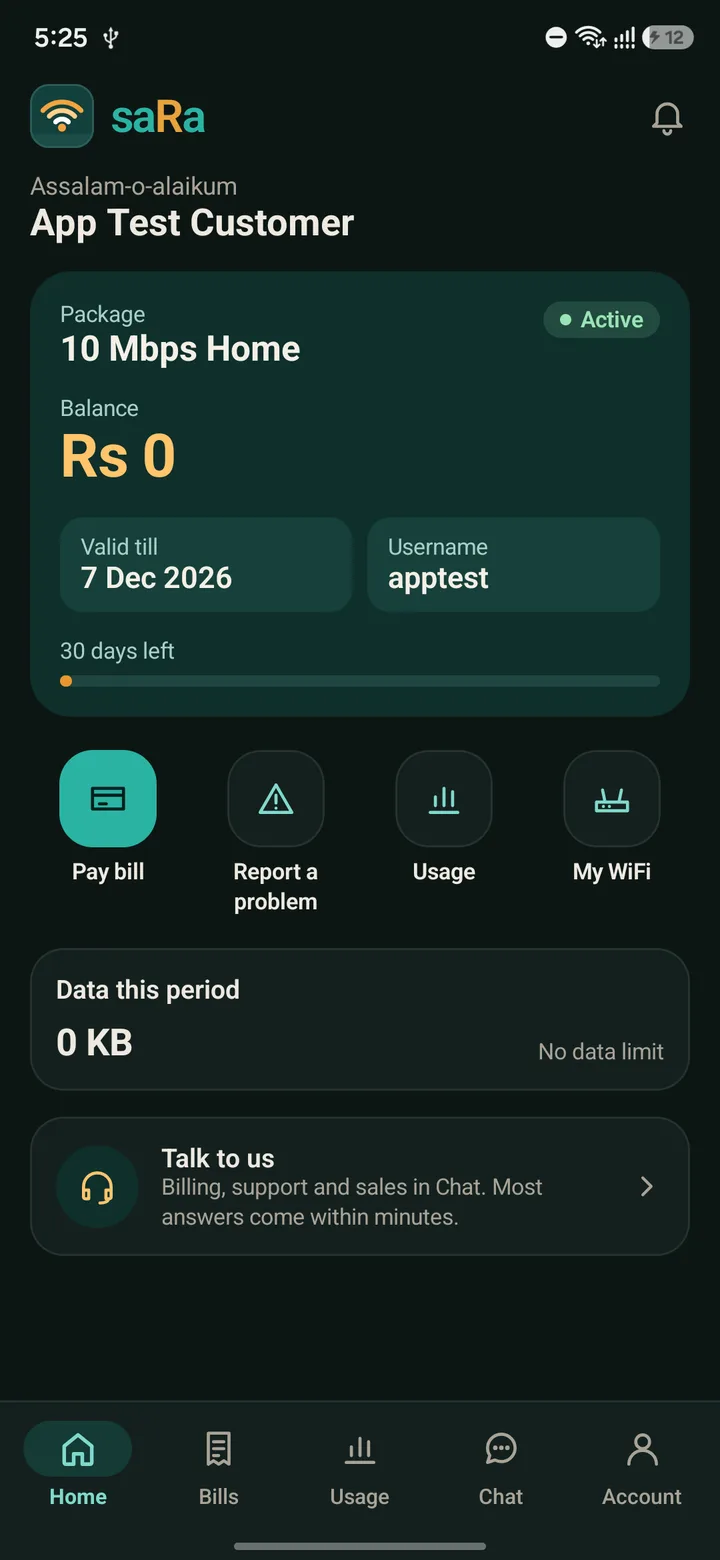
Android app
One app for customers and every staff level.
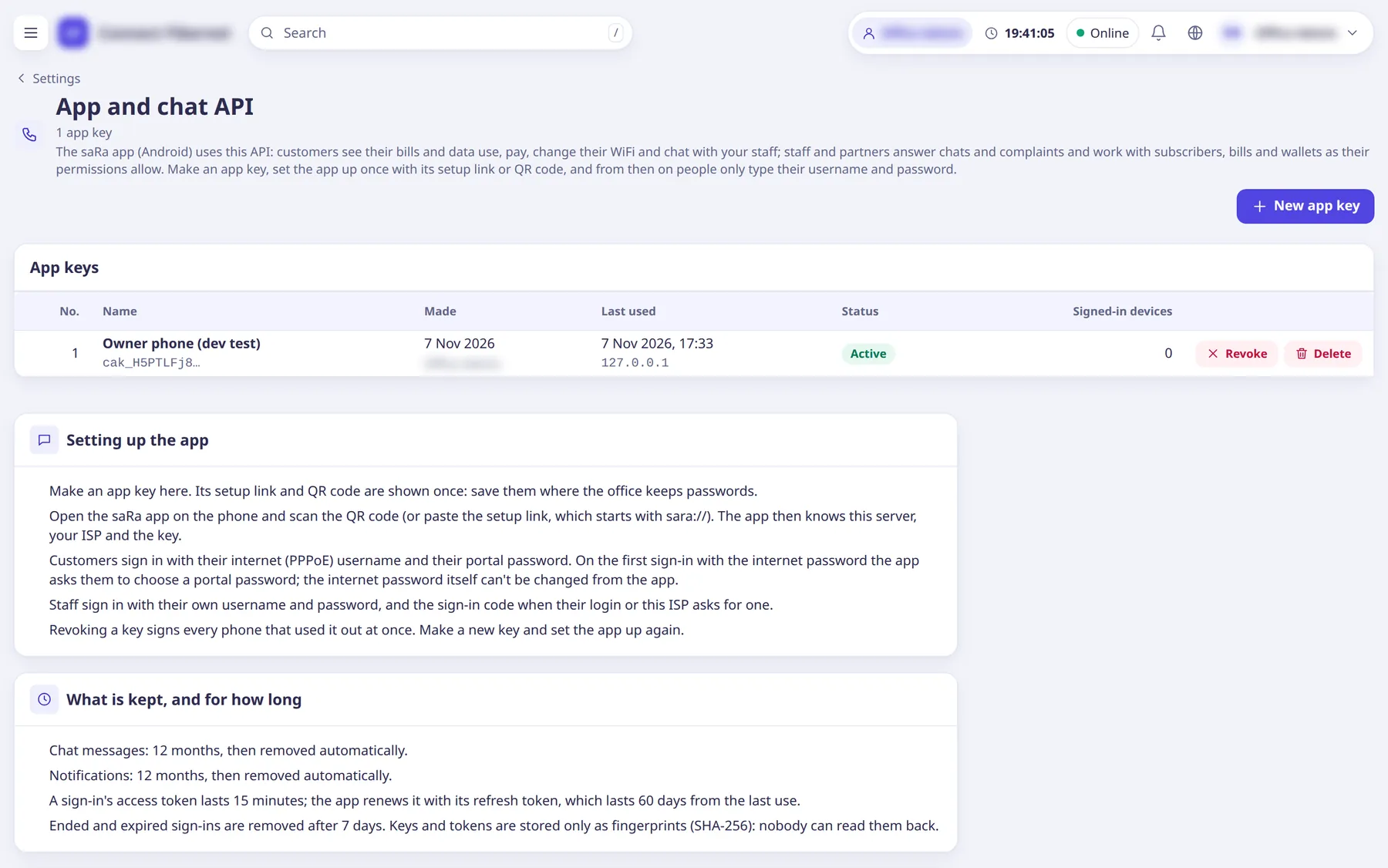
- Set up once with a QR code or a link from an app key
- Customers: home, bills, usage, chat, account and My WiFi
- Push notifications carry only ids; no personal data goes through Google
- Push uses the ISP’s own Firebase project
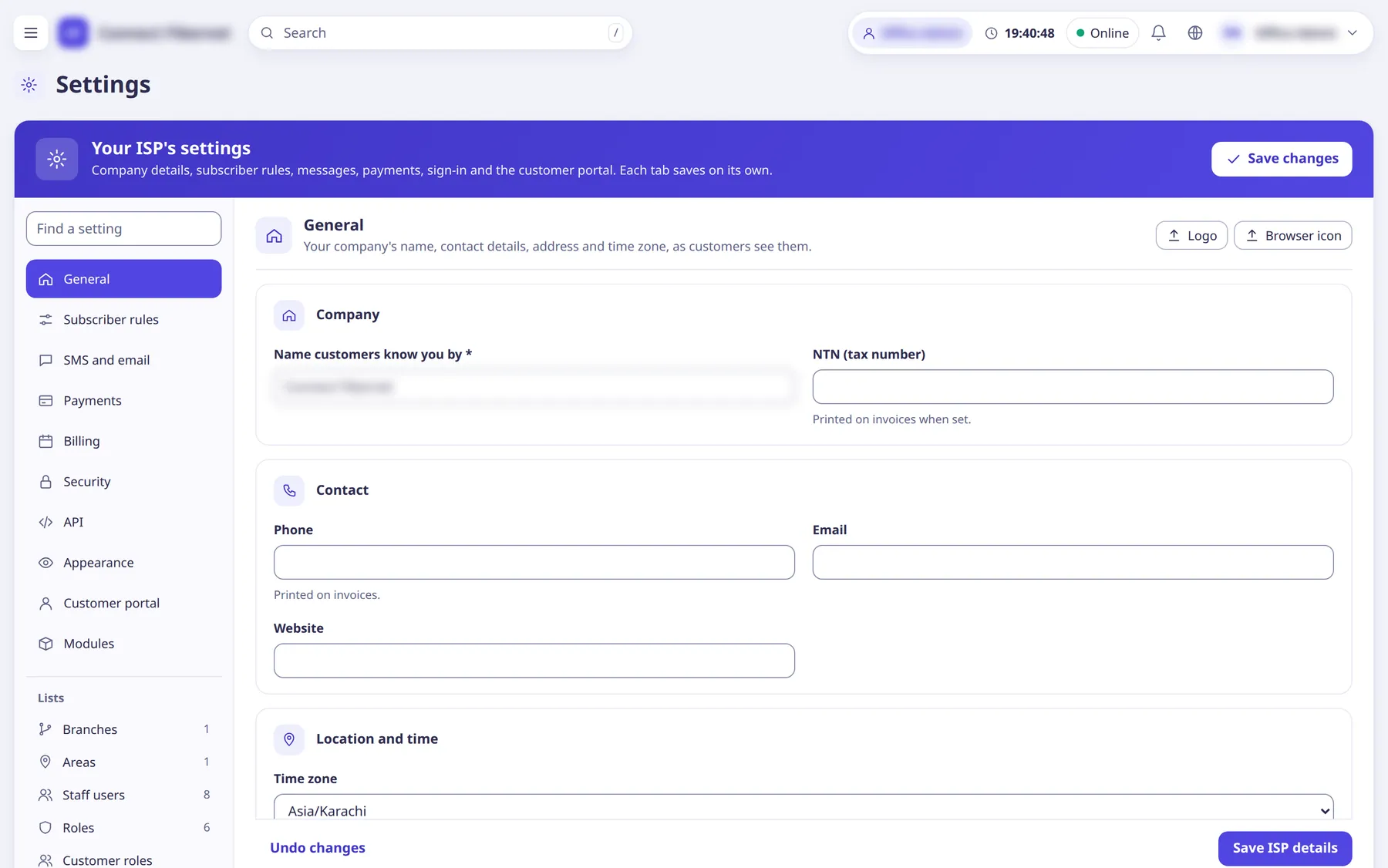
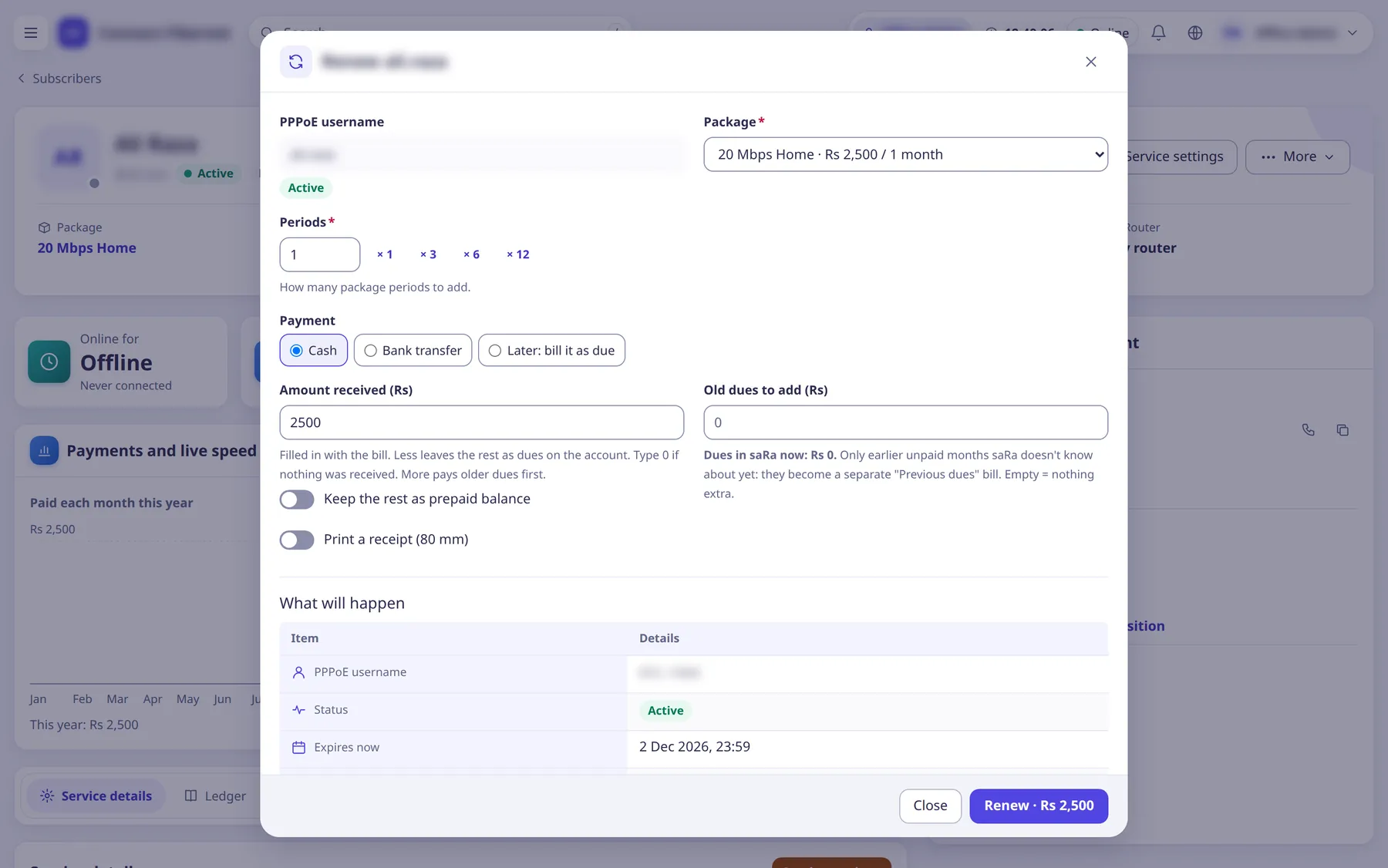
Settings
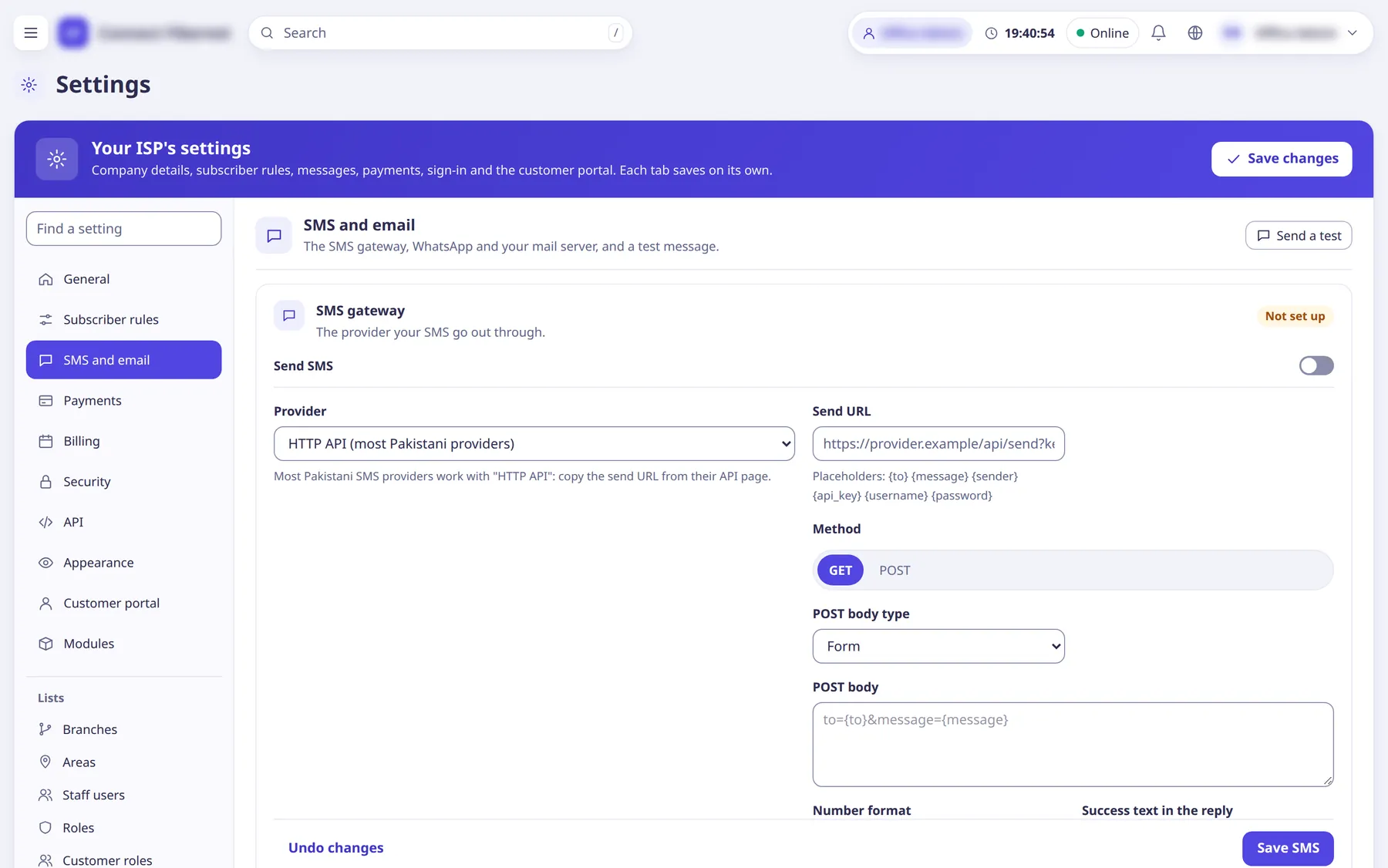
Each tab saves on its own and shows only what your role may change.
- ISP details, subscriber rules, billing, SMS and email, payments
- Security, appearance, customer portal, modules, API
- Every setting is explained in the documentation