 saRa
Notification rules
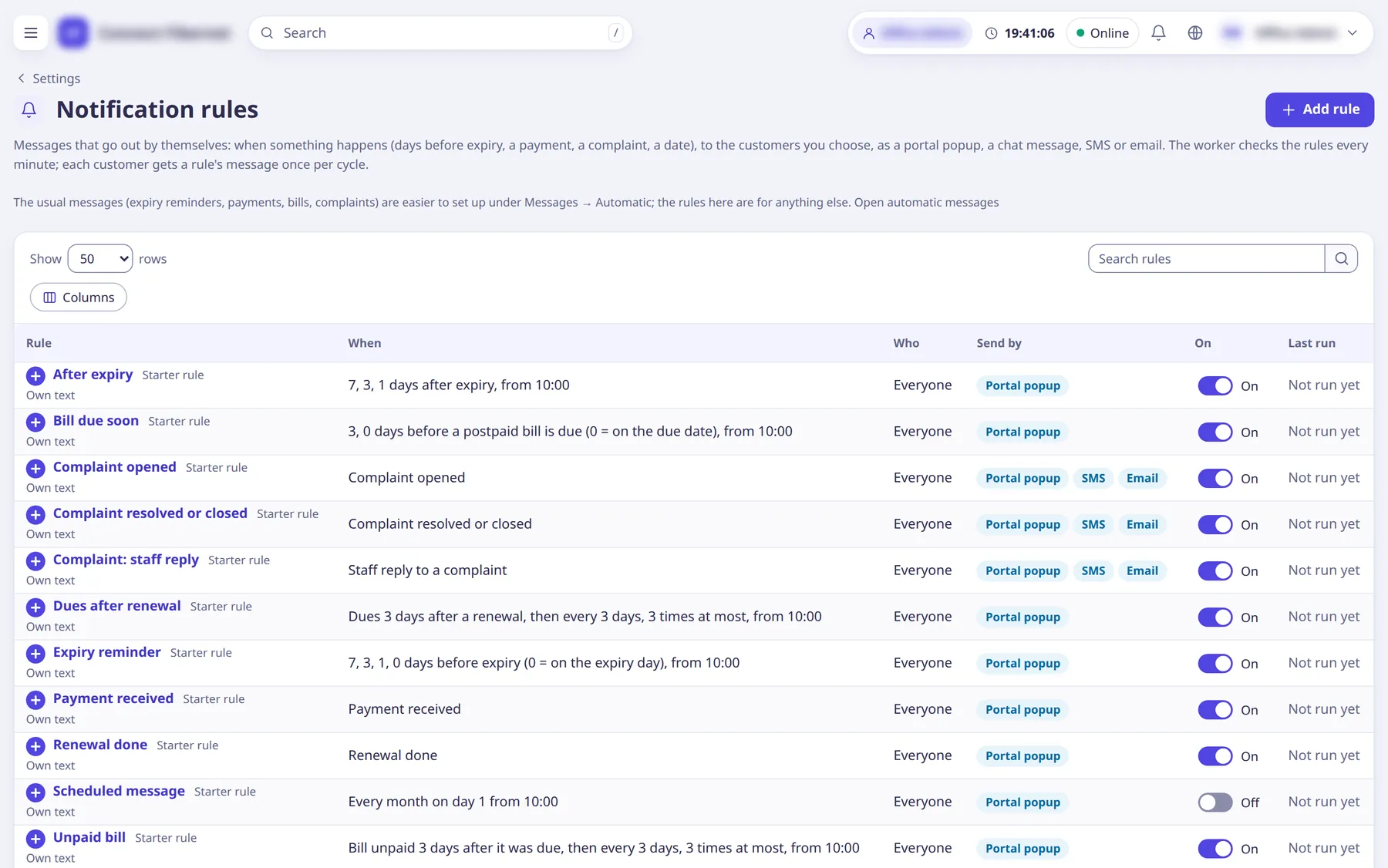
Messages that go out by themselves for anything beyond the usual set under Messages > Automatic: a trigger, an audience, a text and a delivery channel. The worker checks rules every minute; each customer gets a rule's message once per cycle by default. The form has five steps and a Preview that shows how many customers it reaches and what three would get. Every ISP also starts with starter rules (one per card of Messages > Automatic).
The settings
Rule name
TextOnly staff see it.
- Default
- empty (required)
- When to change
- Name it for what it does.
Rule is on
SwitchOff: it sends nothing until switched on.
- When to change
- Switch on when ready.
Send when
ChoiceThe trigger.
- Options
- Days before expiryWhen the internet stops (expiry)Days after expiry, not renewedUnpaid bill (postpaid, manual, moved), repeatingPostpaid bill due soonDues left after a renewal, repeatingPayment receivedRenewal doneComplaint openedStaff reply to a complaintComplaint resolved or closedOn a schedule (weekly or monthly)
- When to change
- Pick the event or date.
Days
TextBefore or after expiry: calendar days (0 = on the expiry day), one or several separated by commas (7, 3, 1, 0). Invoices: days after the due date.
- Default
- empty
- When to change
- For day-based triggers.
From this hour
ChoiceThe ISP's local hour from which it sends.
- Default
- any time
- When to change
- To avoid night-time sends.
Then every (days)
NumberBill reminders: repeat every N days; 0 means only once (0 to 60).
- When to change
- For repeating bill reminders.
At most (times)
NumberMaximum reminders (1 to 20); it stops when the bill is paid, reversed or voided.
- When to change
- For repeating bill reminders.
Repeat (schedule)
ChoiceSchedule triggers: Every week or Every month; then Weekday, or Day of the month (1 to 31; 31 means the month's last day in shorter months).
- Options
- Every weekEvery month
- When to change
- For scheduled messages.
Places / Packages / Partners / Status
ListAudience lists; customers must match every list that is filled in. A city takes in its areas and sub-areas; a partner takes in its sub-partners' customers. Status choices: Active, Expired, Disabled, Terminated (empty = everyone but terminated).
- Default
- empty = everyone
- When to change
- To target a group.
Hand-picked customers
TextUsernames, one per line or separated by commas.
- Default
- empty
- When to change
- To message specific customers.
Text source
ChoiceA message template, Own text, or An automatic text (SMS texts page).
- Options
- A message templateOwn textAn automatic text (SMS texts page)
- When to change
- Choose where the wording comes from.
English text / Urdu text (optional)
TextOwn text, up to 1,000 characters, with insertable variables.
- Default
- empty
- When to change
- When using own text.
Language
ChoiceWhich text it sends.
- Options
- EnglishUrduEach customer's own language
- When to change
- Pick one language or each customer's own.
Title
TextThe popup's title and the email's subject.
- Default
- empty (uses the rule's name)
- When to change
- To set a subject line.
Send by
ListPortal popup (shows when the customer opens the portal), Chat message, SMS, Email (through the providers set under SMS, WhatsApp and email).
- When to change
- Choose channels.
One customer gets it
ChoiceHow often one customer may get the rule's message.
- Options
- Once per cycle (each expiry, invoice, payment or complaint)At most once a dayOnly once, ever
- When to change
- To avoid repeats.
Quiet hours from / until
ChoiceSMS, email and chat messages wait until the quiet hours end; the popup is ready at once. A start later than the end spans midnight.
- Default
- Off
- When to change
- To avoid night messages.