 saRa
Service settings
A popup on a subscriber's profile with that one subscriber's connection and billing options. Direct settings save together; changing package, expiry, discount or fees each have their own button and confirmation.
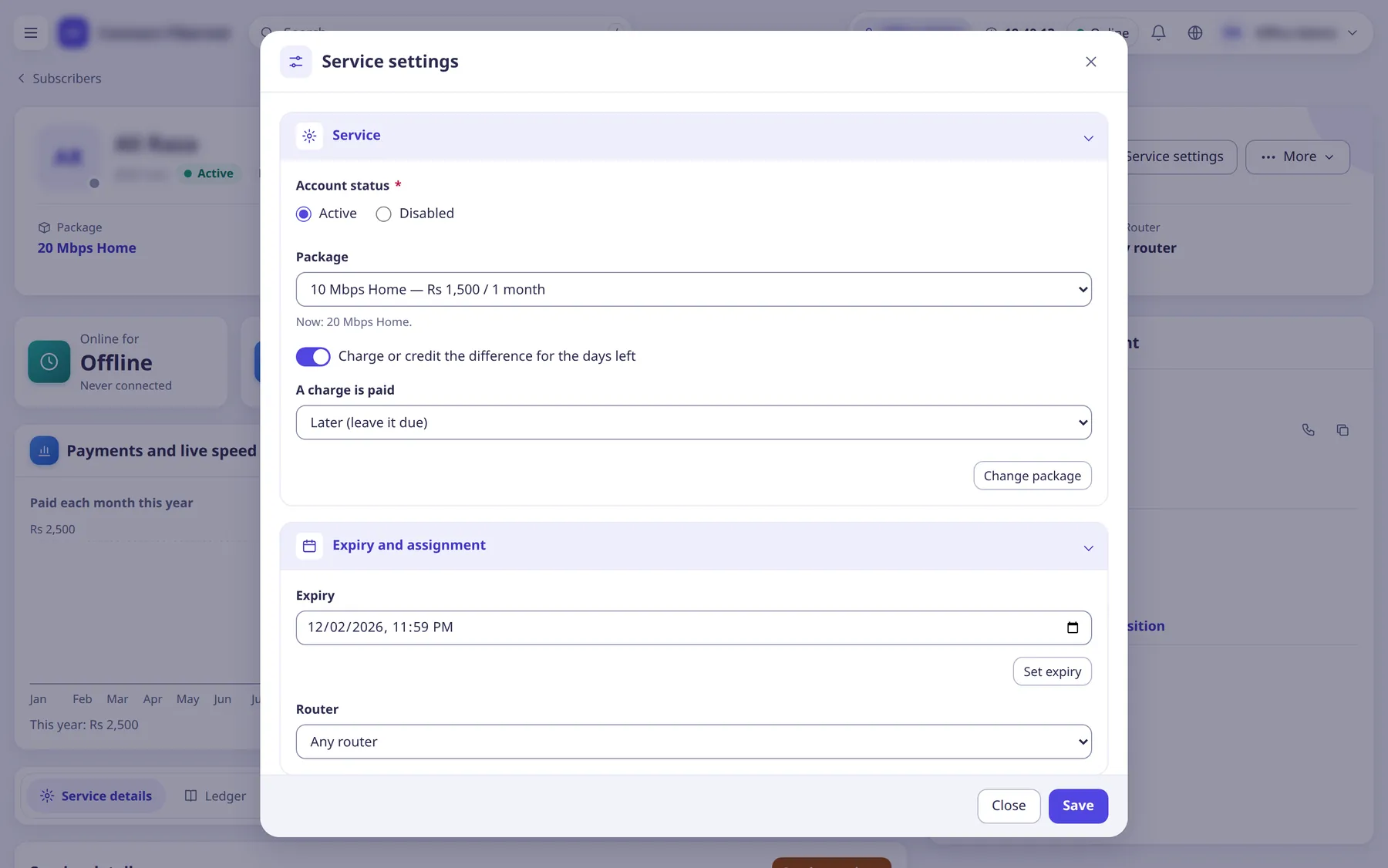
The settings
Account status
ChoiceActive or Disabled.
- Default
- current status
- Options
- ActiveDisabled
- When to change
- To switch the account off or on.
Package
ChoiceChange package now (button with confirmation). Optional checkbox Charge or credit the difference for the days left
and A charge is paid
method.
- Default
- current package
- When to change
- Mid-period upgrades or downgrades.
Expiry
TextSet expiry by hand (needs Set the expiry by hand and give grace days).
- Default
- current expiry
- When to change
- To extend or correct.
Router
ChoiceThe router (NAS) the subscriber uses.
- Default
- current
- When to change
- When moved to another router.
Messages
SwitchAutomatic messages and bulk sends to this subscriber.
- When to change
- Turn off for a subscriber who should not get messages.
MAC lock
SwitchOnly this MAC may log in; with an empty MAC the next login's MAC is taken.
- When to change
- To bind an account to one device.
MAC address
TextOne MAC like AA:BB:CC:DD:EE:FF. Saving a new MAC, IP or netmask ends the live session so it applies.
- Default
- empty
- When to change
- For MAC locking.
Logins at once
NumberSimultaneous sessions allowed.
- When to change
- To allow shared accounts.
Static IP
TextEmpty: an address from the package's pool.
- Default
- empty
- When to change
- For customers with a fixed IP.
Static IP netmask
TextLike 255.255.255.0. Empty: none sent.
- Default
- empty
- When to change
- With a static IP.
Total data (GB) / Used data (GB)
NumberOwn data quota for this subscriber and the usage so far this period. Needs the package to have a speed after quota.
- Default
- empty = the package's
- When to change
- To give one customer a custom quota.
Total online time (minutes) / Used online time (minutes)
NumberOwn session-time quota and usage.
- Default
- empty = the package's
- When to change
- As above.
Discount off every period
NumberRupees off every renewal; applies from the next bill.
- Default
- 0
- When to change
- For loyalty or special deals.
Extra fee
TextA named fee in rupees per period added to every renewal.
- Default
- none
- When to change
- For add-ons such as a static IP rental.