 saRa
Payment gateways
Switch on the ways customers and partners can pay online or by bank transfer, and enter each gateway's keys. Online payments are in Pakistani rupees (PKR).
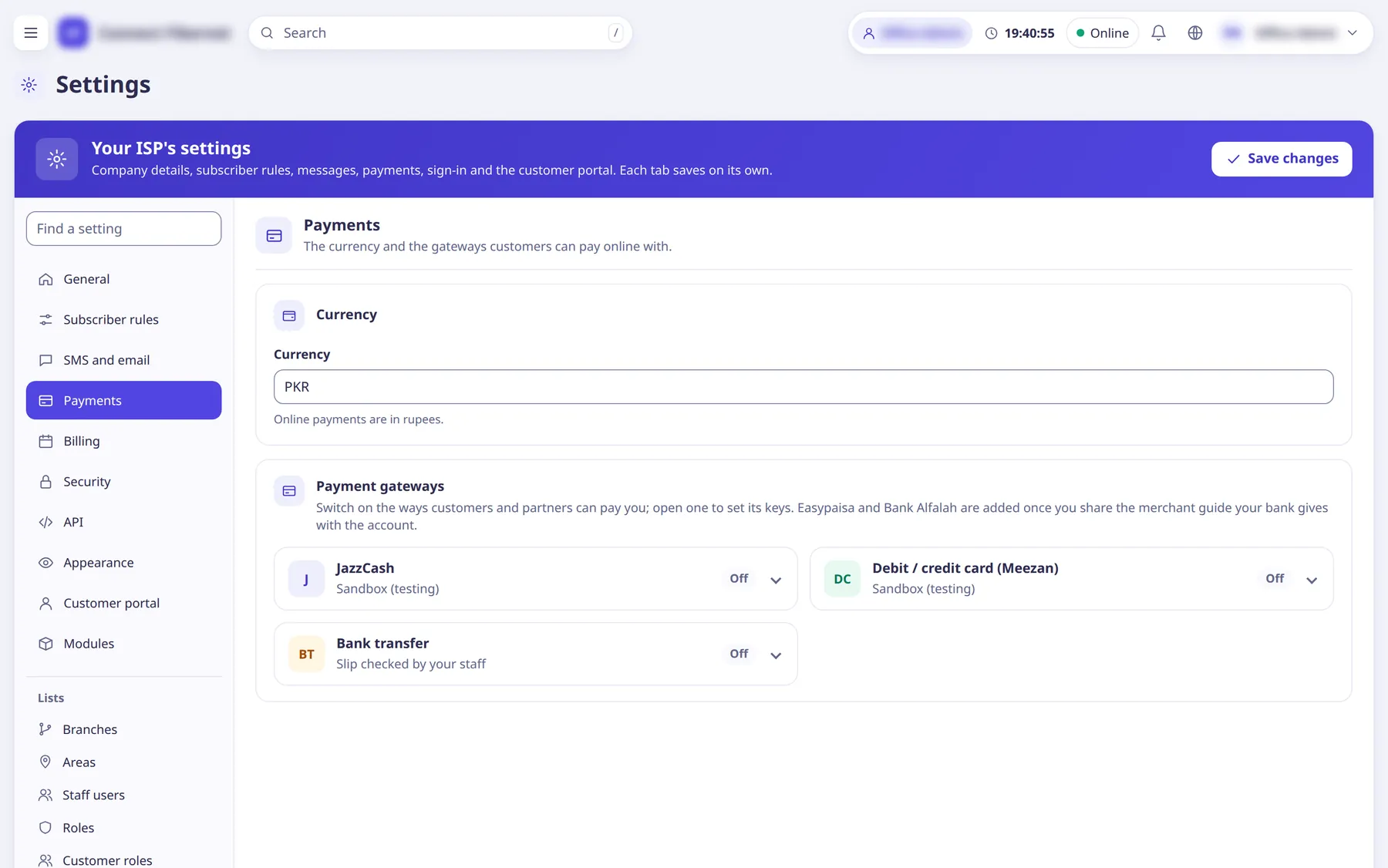
The settings
Currency
TextOnline payments are in rupees.
- Default
- PKR (read-only)
- When to change
- Fixed.
Take payments with JazzCash
SwitchEnables the JazzCash gateway.
- Default
- off
- When to change
- After merchant details are entered.
Mode (JazzCash)
ChoiceSandbox for testing, Live for real money.
- Default
- Sandbox (testing)
- Options
- Sandbox (testing)Live
- When to change
- Switch to Live only after a successful sandbox test.
Merchant ID
TextYour JazzCash merchant ID.
- Default
- empty
- When to change
- From JazzCash.
Password (JazzCash)
TextJazzCash password.
- Default
- empty (stored secret)
- When to change
- From JazzCash.
Integrity salt
TextJazzCash integrity salt used to sign requests.
- Default
- empty (stored secret)
- When to change
- From JazzCash.
Gateway address (JazzCash)
TextSandbox: https://sandbox.jazzcash.com.pk. Live: the address JazzCash gives you.
- Default
- https://sandbox.jazzcash.com.pk
- When to change
- When going Live.
Take payments with Debit / credit card (Meezan)
SwitchEnables the Meezan card gateway.
- Default
- off
- When to change
- After credentials are entered.
Mode (Meezan)
ChoiceSandbox or Live.
- Default
- Sandbox (testing)
- Options
- Sandbox (testing)Live
- When to change
- As above.
API username
TextMeezan API username.
- Default
- empty
- When to change
- From Meezan.
API password
TextMeezan API password.
- Default
- empty (stored secret)
- When to change
- From Meezan.
Gateway REST address
TextThe address Meezan gives you, ending in /payment/rest (sandbox and live differ).
- Default
- empty
- When to change
- When going Live.
Return / IPN address
TextAddress to give to the bank so it can send customers and payment notices back to saRa; has a Copy button.
- Default
- read-only, built per gateway
- When to change
- Give it to the bank during gateway setup.
Show to customers and partners (Bank transfer)
SwitchShows your bank account on Quick Pay, in the customer portal and on partners' pages; they send the transfer slip from there and you check it under Billing > Bank transfers.
- Default
- off
- When to change
- If you accept bank transfers.
Bank
TextBank name (Faysal Bank or any bank).
- Default
- empty
- When to change
- When enabling bank transfer.
Account title
TextName on the account.
- Default
- empty
- When to change
- When enabling bank transfer.
Account number
TextAccount number.
- Default
- empty
- When to change
- When enabling bank transfer.
IBAN
TextIBAN.
- Default
- empty
- When to change
- When enabling bank transfer.