 saRa
ISP details
Your company's name, contact details, address and time zone, as customers see them and as they print on invoices.
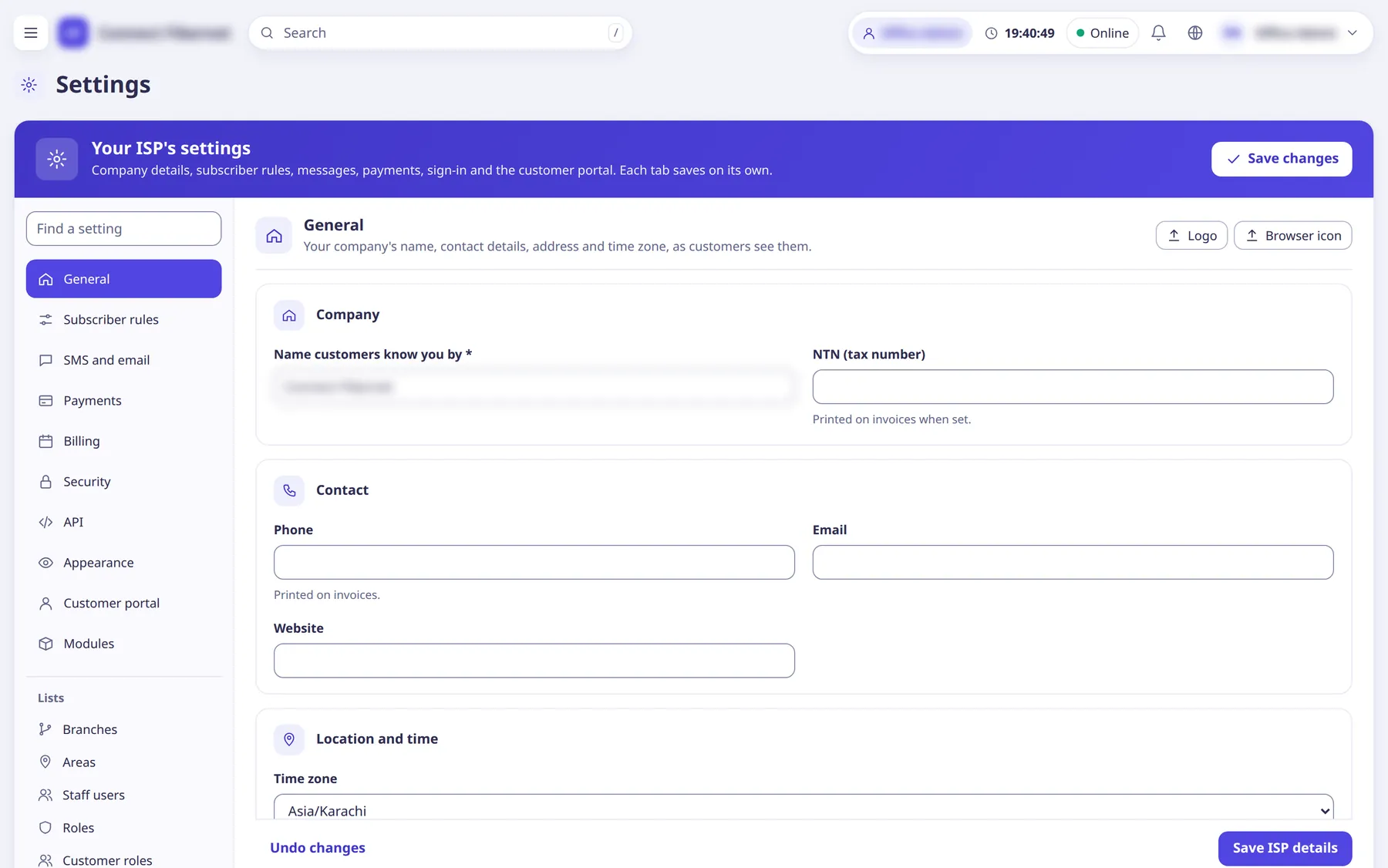
The settings
Name customers know you by
TextYour company name shown to customers, on invoices and in the menu. Required.
- Default
- the name the ISP was created with
- When to change
- When your trading name changes.
NTN (tax number)
TextPrinted on invoices when set.
- Default
- empty
- When to change
- If your invoices must show a tax number.
Phone
TextPrinted on invoices and available as the {isp_phone} message variable.
- Default
- empty
- When to change
- Keep it current so customers can reach you.
Contact email for the ISP.
- Default
- empty
- When to change
- When your contact email changes.
Website
TextYour website address.
- Default
- empty
- When to change
- Optional.
Time zone
ChoiceExpiry times, reminders and reports all use this clock.
- Default
- Asia/Karachi (new ISPs start with the platform's default, which is Asia/Karachi)
- Options
- Asia/KarachiAsia/DubaiAsia/RiyadhAsia/QatarAsia/KolkataAsia/DhakaAsia/KabulEurope/LondonUTC
- When to change
- Only if the ISP operates outside Pakistan time.
Address
TextPostal address of the ISP (multi-line box).
- Default
- empty
- When to change
- Optional.
Note at the bottom of invoices
TextFree text printed at the foot of every invoice, for example how to pay or a complaint number.
- Default
- empty
- When to change
- When you want payment instructions on every invoice.
ISP code
TextShort code that is part of links customers already have (for example the Quick Pay link), so it cannot be changed here.
- Default
- set when the ISP is created (read-only)
- When to change
- Never; shown for reference.
Quick Pay link
TextThe address customers use to pay without logging in, with a Copy button.
- Default
- read-only, built from the public address and the ISP code
- When to change
- Share it with customers.
Logo
uploadShown at the top of the menu, on the customer portal and Quick Pay. PNG, JPEG or WebP, under 512 KB; a wide picture about 200 x 50 looks best. Buttons: Upload / Replace / Remove (Remove brings back the platform's logo). Also reachable from the Logo button on the panel head.
- Default
- platform's logo (until the ISP uploads its own)
- When to change
- When you want your own branding.
Browser icon
uploadThe small picture in the browser tab. PNG or ICO, under 128 KB, square (32 x 32 or 64 x 64).
- Default
- platform's icon (until the ISP uploads its own)
- When to change
- When you want your own branding.