 saRa
How to add staff, give them a role and top up their balance
Steps
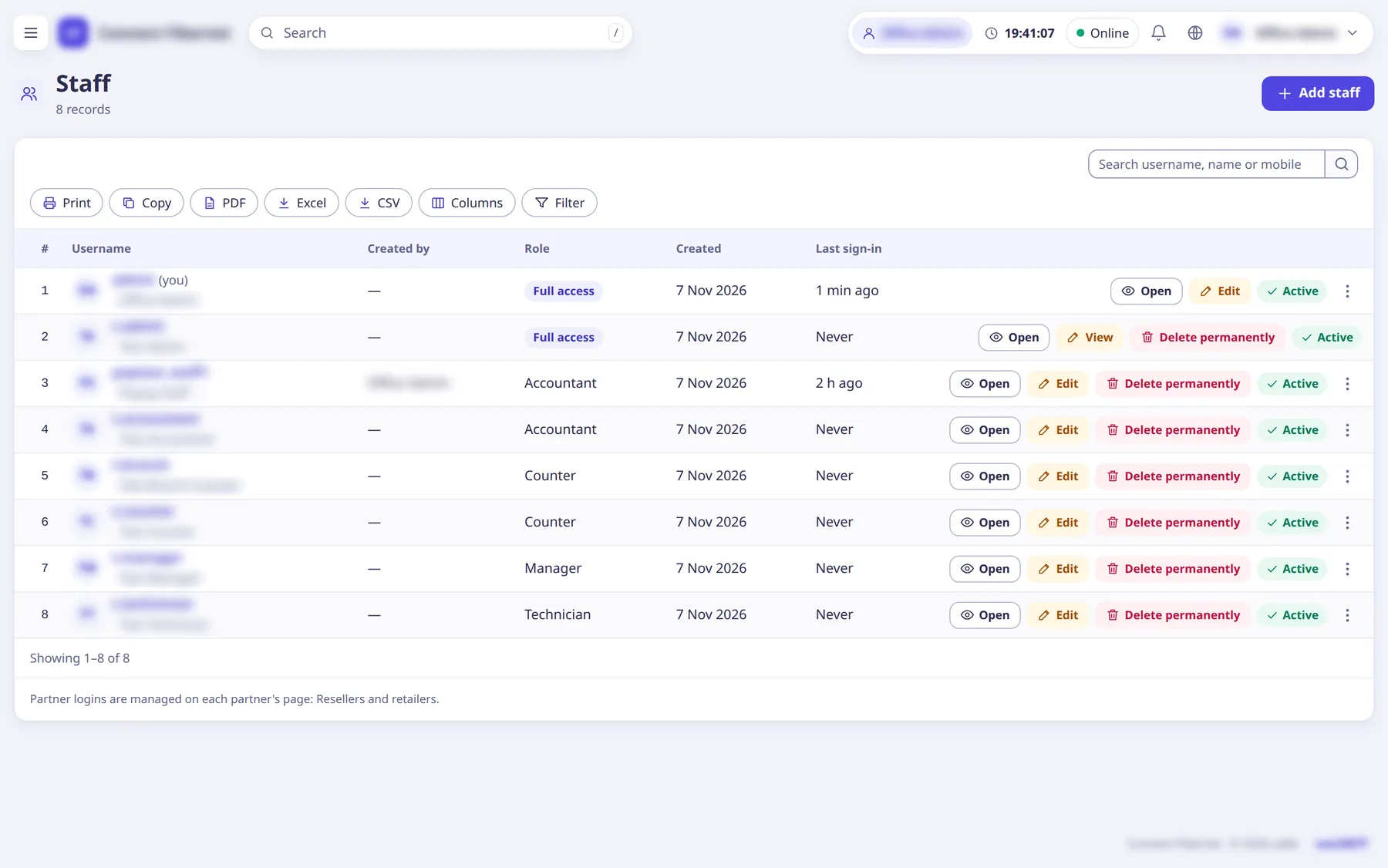
Open Staff →
Staff
and clickAdd staff
.The
Roles
menu group holdsRoles
andCustomer roles
.Pick the login's
Access
:Pick a role
(one of the ISP's roles) orFull access (administrator)
.Full access (administrator)
is offered only to ISP administrators and above; the list shows only roles you may give.Enter
Username
,Full name
,Mobile
,Email
,CNIC
, an optionalBranch
, and thePassword
(not shown after saving).Keep
Can sign in
on. Staff in a branch see only its subscribers and cash.Click
Add user
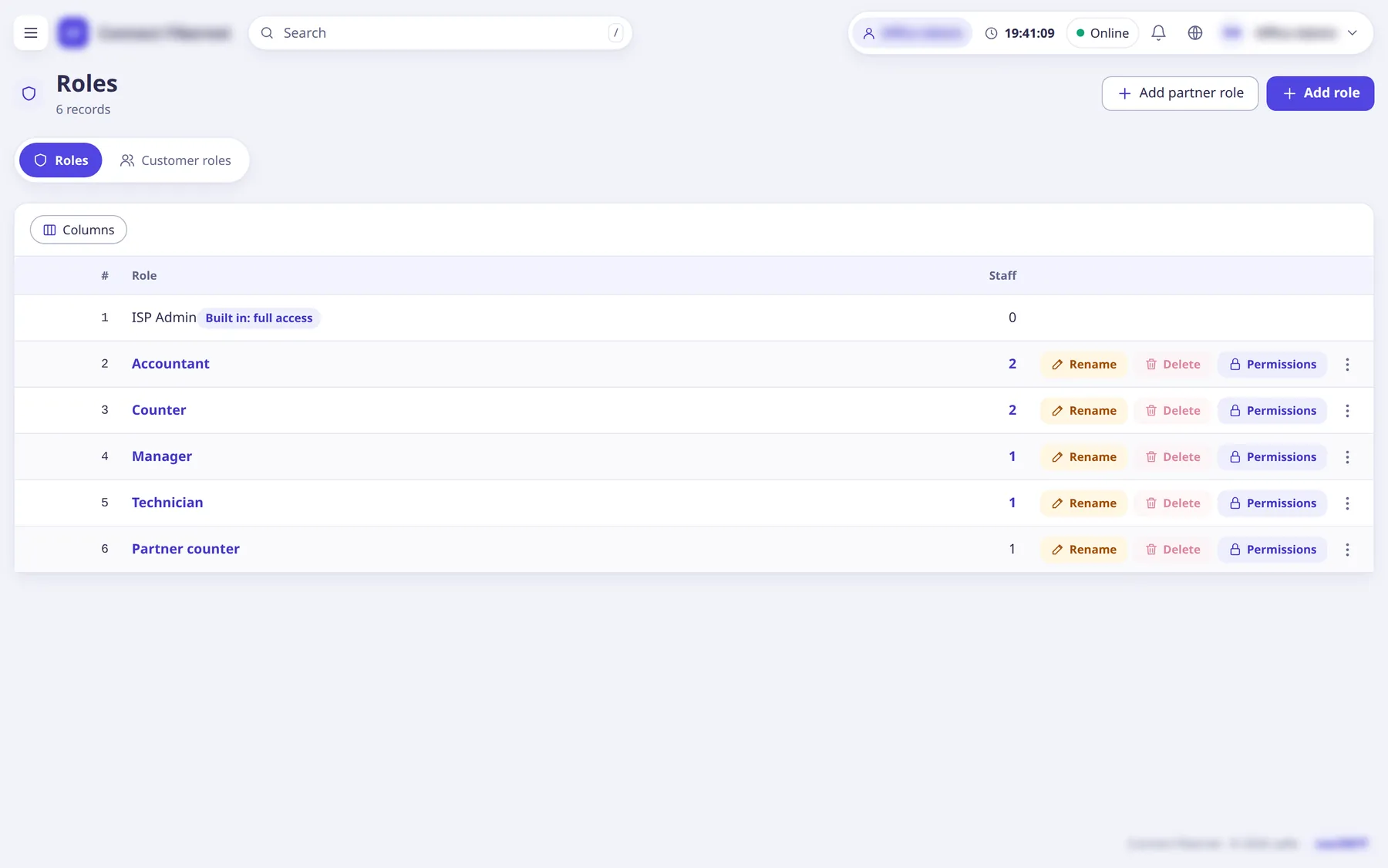
(the submit button of the Add staff popup). To add or edit roles open Roles →Roles
:Add role
,Add partner role
, andAdd the default roles
to add any missing presets.Each role row has Permissions, Rename, Delete (if people hold it, a popup moves them to another role first),
Create staff with this role
and Copy.Before a new staff login can renew subscribers, top up their staff balance: open the staff login, find the
Balance
card, clickTop up balance
, chooseWhat to do
=Top up balance
(orTake back (correction)
), enterAmount
and aNote
, and clickSave
.The balance history lists top-ups, corrections, renewals and refusals. A staff login opens its own balance read-only from My profile.
What saRa does
The login can sign in with only what its role lists. The default roles every new ISP starts with are listed below. Every renewal by hand takes the whole bill off the staff balance; with too little balance the renewal is refused until an administrator tops it up.
Good to know
- Admin ladder: Owner (rank 4) > super admin (3) > ISP administrator (2) > staff (1) > partner logins (0). Nobody changes a login of their own rank or above, except that an ISP administrator may add, switch off or delete other administrators of their own ISP (never a super admin or Owner). Super admins and the Owner are made on the platform only.
- A peer administrator's mobile, email, branch, password, 2-step sign-in and sign-in addresses can be changed only by a super admin or the Owner.
- Default roles (each can be renamed, changed or deleted; none holds staff, role, ISP settings or delete rights): Manager (everything except staff logins, roles, ISP settings and deleting); Accountant (payments, invoices, cash book and expenses, salaries, money reports); Recovery officer (find subscribers, take payments, renew, receipts); Support (subscribers, sessions, complaints, chat, MAC reset, no money); Technician (complaints, fibre and stock, subscriber and router status); Counter staff (add subscribers, renew, take payments, print invoices).
- Role names that look like a level (
super admin
,owner
,ISP admin
,administrator
) are refused. - Administrators have no staff balance and are never limited; super admins can also set up 2-step sign-in; Settings →
Security
holds the ISP's sign-in rule.